Products & Parts
Products are everything you hold in stock: the spare parts fitted during repairs, and the accessories sold over the counter. Linking a product to the devices and issues it fixes is what lets the job wizard suggest the right part.
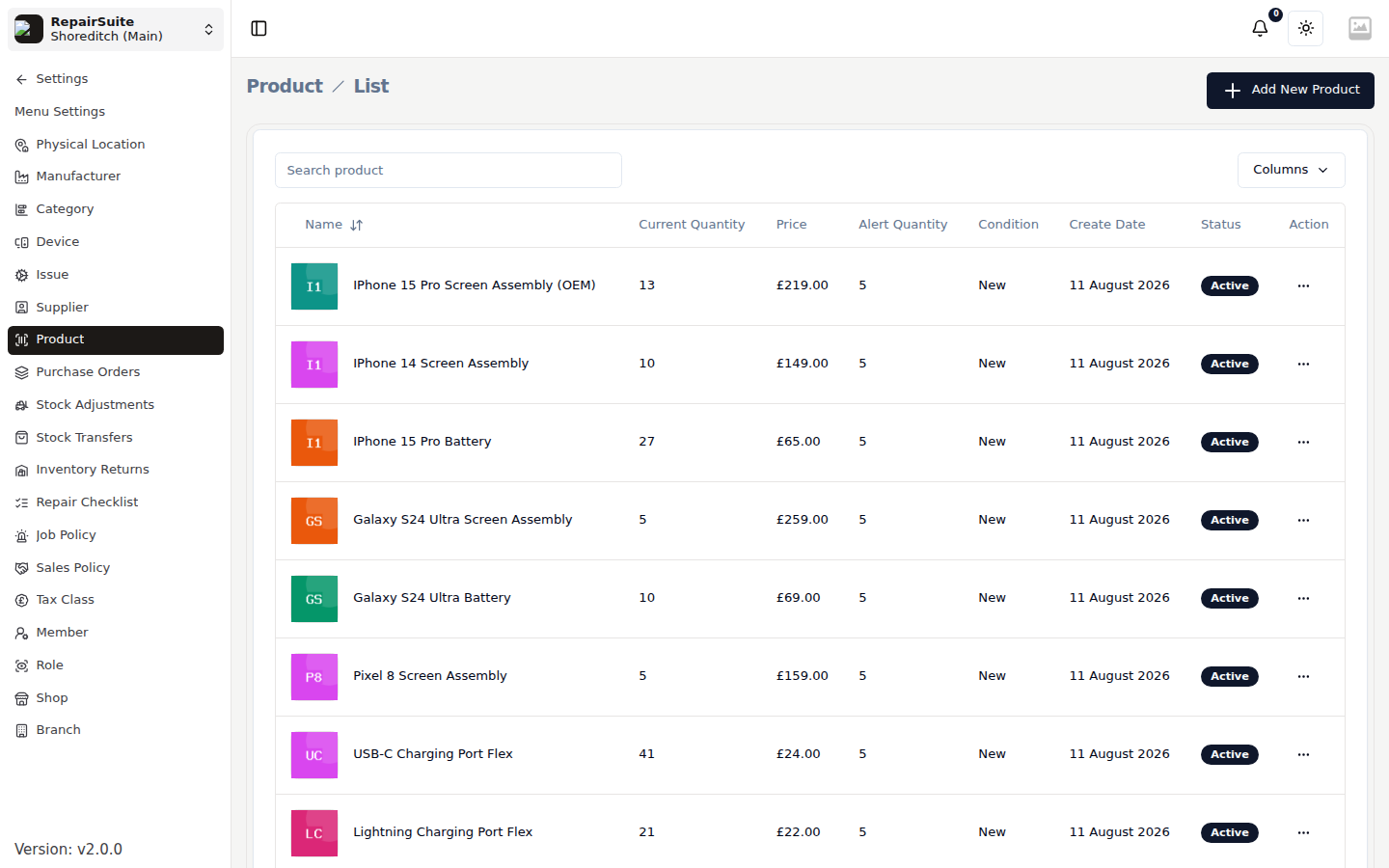
Go to Settings → Product.
Adding a product
Click Add New Product.
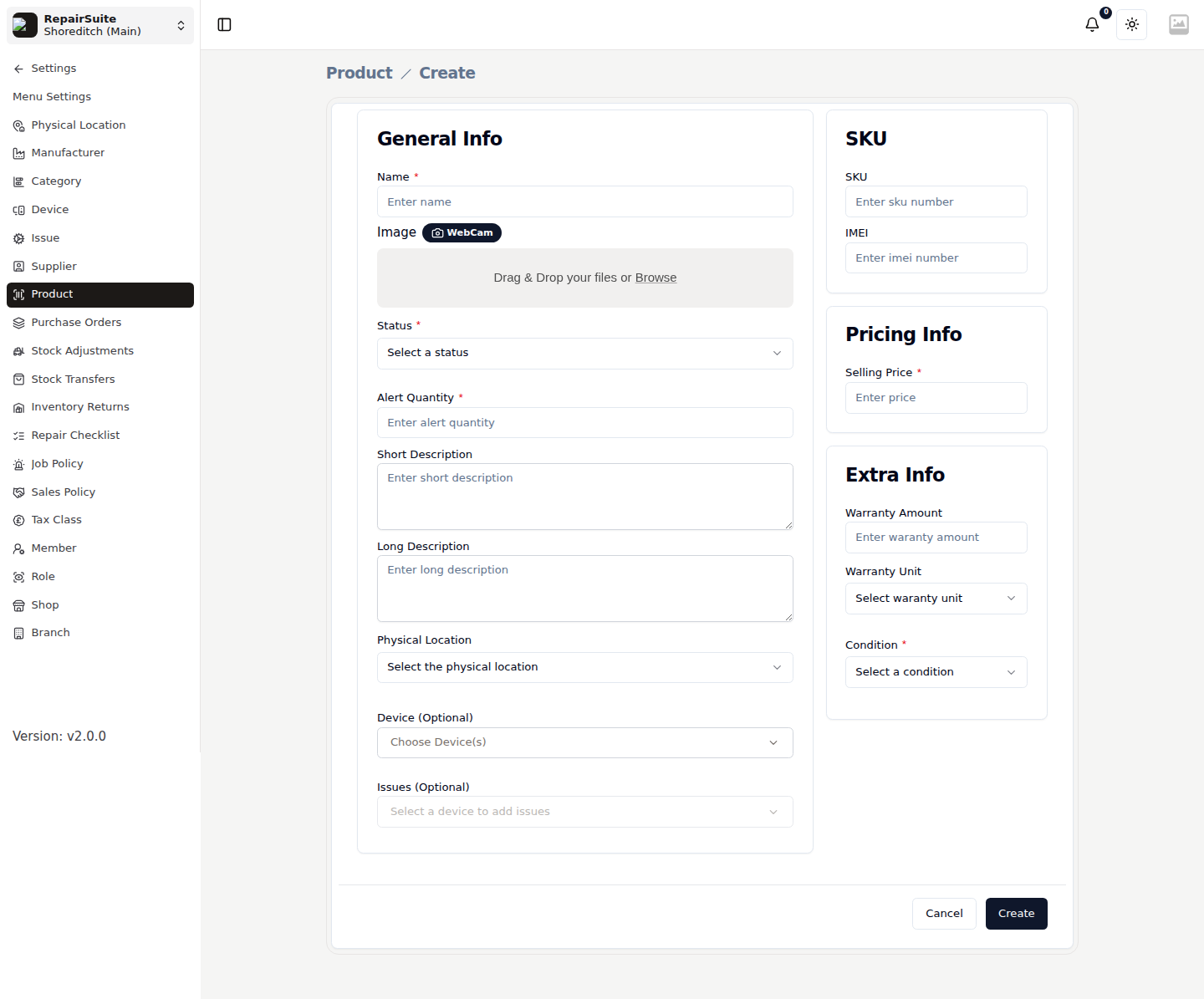
General Info
| Field | Description |
|---|---|
| Name | e.g. "iPhone 15 Pro screen assembly (OEM)" |
| Image | Upload a photo, or capture one with the webcam |
| Status | Active or Inactive — inactive products cannot be sold or added to jobs |
| Alert Quantity | The stock level that flags the product as low stock |
| Short / Long description | Shown on the product page and in the POS |
| Physical Location | Which shelf or bench it lives on |
| Device (optional) | The devices this part fits |
| Issues (optional) | The faults this part fixes |
:::note Device and issue links are optional. A USB cable or a toolkit is not tied to a repair, so leave them empty — the product is still fully sellable through the POS. :::
SKU
| Field | Description |
|---|---|
| SKU | Your stock keeping code — used for search in the POS |
| IMEI | For serialized stock that carries one |
Pricing Info
Selling Price is what you charge. What you paid is captured when stock arrives, through a purchase order or a stock adjustment, and Stock Overview shows the weighted average cost.
Extra Info
| Field | Description |
|---|---|
| Warranty amount and unit | How long the part is covered for — days, weeks, months or years |
| Condition | New or used |
Click Create.
Products and stock
A product is the definition; stock is how many you have at this branch. A product can sit at zero — that just means you are out of it.
Stock arrives through:
- Purchase Orders — receiving one adds stock
- Stock Transfers — moving it from another branch
- Stock Adjustments — opening balances and corrections
and leaves through repairs, counter sales and returns.
See Stock Overview for the live picture.
Products on jobs
On the Parts step of the New Job wizard, RepairSuite suggests the products linked to the selected device and issues. You can take the suggestions, change quantities and prices, or search the whole catalogue for something else.
Products in the POS
Every active product with stock appears in the Sell Product grid, with its image, price and remaining stock.