Stock Overview
Stock Overview is the live picture of what you are holding: how much of each product is on the shelf, what it is worth, and when it last moved.
Go to Settings → Inventory → Stock (/settings/inventory/stock).
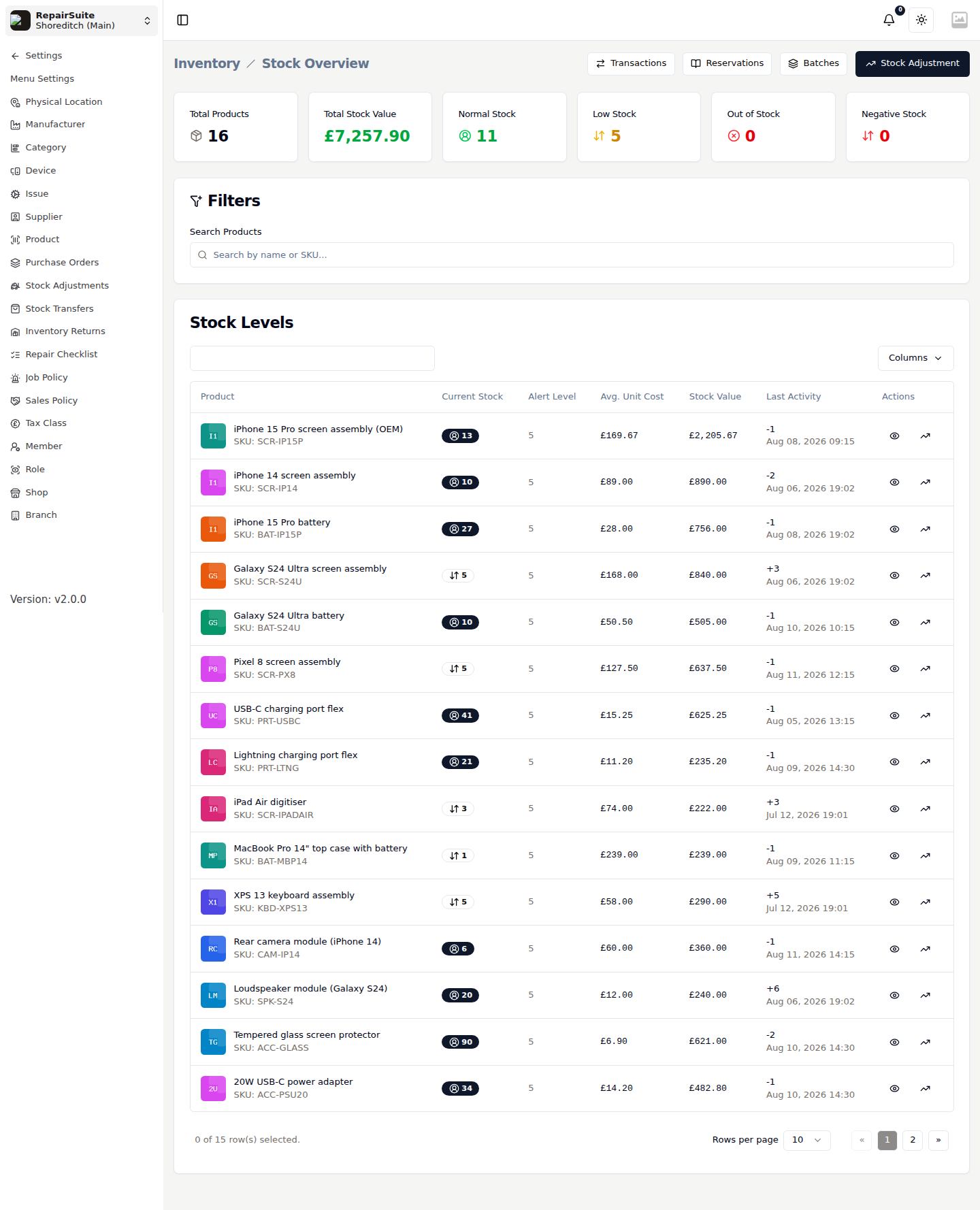
Summary counters
| Counter | What it shows |
|---|---|
| Total Products | Lines in the branch catalogue |
| Total Stock Value | Current stock × average unit cost, across everything |
| Normal Stock | Lines comfortably above their alert level |
| Low Stock | Lines at or below their alert level |
| Out of Stock | Lines at zero |
| Negative Stock | Lines below zero — a sign that movements need reconciling |
Stock Levels table
| Column | What it shows |
|---|---|
| Product | Name, image and SKU |
| Current Stock | Units on hand, colour-coded by status |
| Alert Level | The threshold that flags a line as low stock |
| Avg. Unit Cost | Weighted average of what you paid |
| Stock Value | Current stock × average unit cost |
| Last Activity | The most recent movement, with its date |
| Actions | Open the product, or jump to its movement history |
Search by name or SKU to narrow the list, and use Columns to hide what you don't need.
The buttons across the top
| Button | Opens |
|---|---|
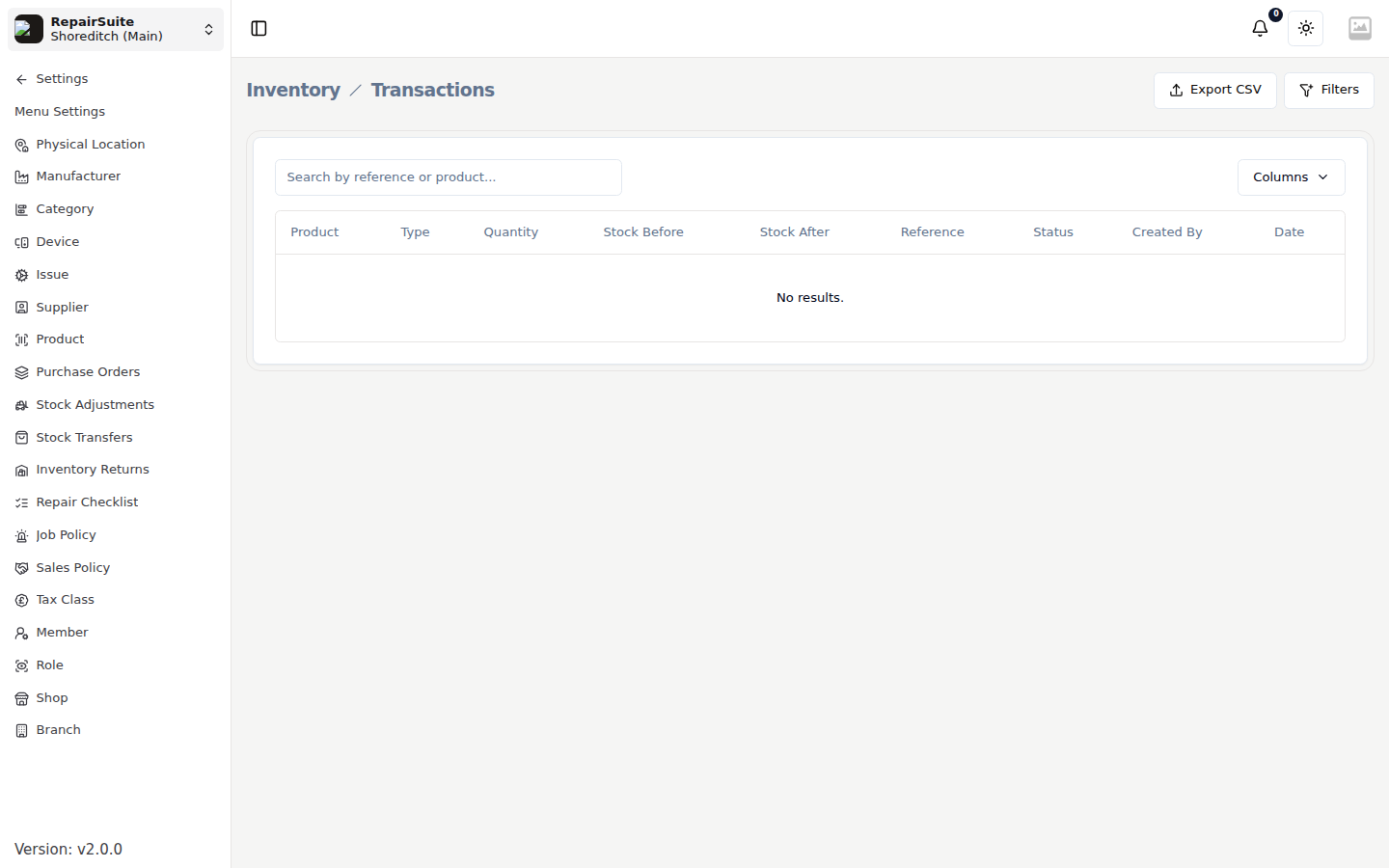
| Transactions | The full inventory transaction ledger, with a CSV export |
| Reservations | Stock reserved against open jobs, with release and fulfil actions |
| Batches | Batch and expiry tracking for serialized stock |
| Stock Adjustment | A manual correction — see Stock Adjustments |
Stock analytics
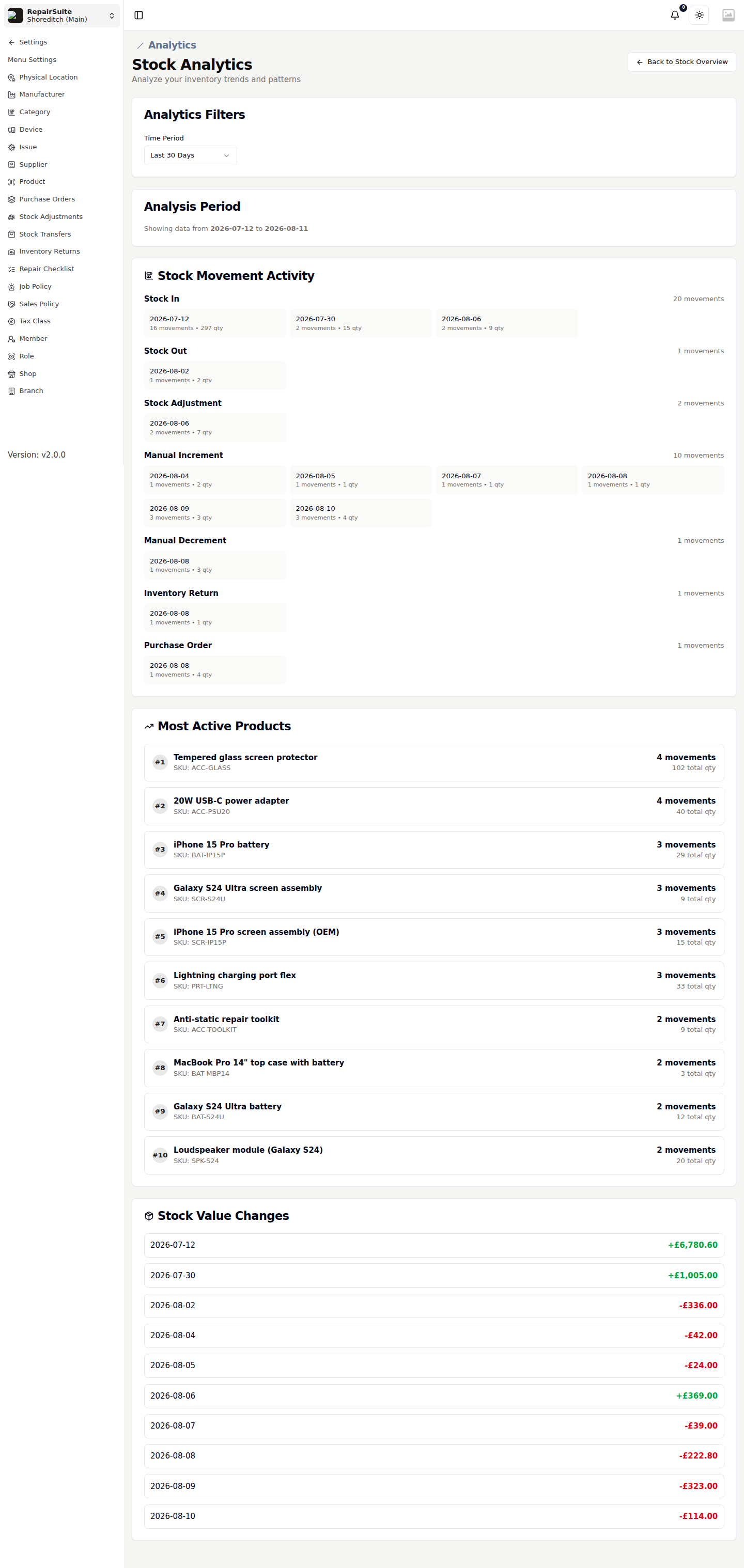
Settings → Inventory → Stock Analytics charts stock movement and valuation over time, so you can see what is turning over and what is sitting still.
Getting stock in
| Route | Use it for |
|---|---|
| Purchase Orders | Buying from a supplier — receiving the PO adds the stock |
| Stock Transfers | Moving stock between your own branches |
| Stock Adjustments | Corrections, damage, loss and opening balances |
| Inventory Returns | Sending faulty stock back to the supplier |
Stock also moves on its own when parts are used on a job or sold through the POS.