Customer Dashboard
The customer portal is a self-service area for your shop's customers. Once they have an account they can follow their repairs, read their invoices and book new work without calling you.
Customers log in at the same address as everyone else; RepairSuite recognises the account type and sends them to /customer/dashboard.
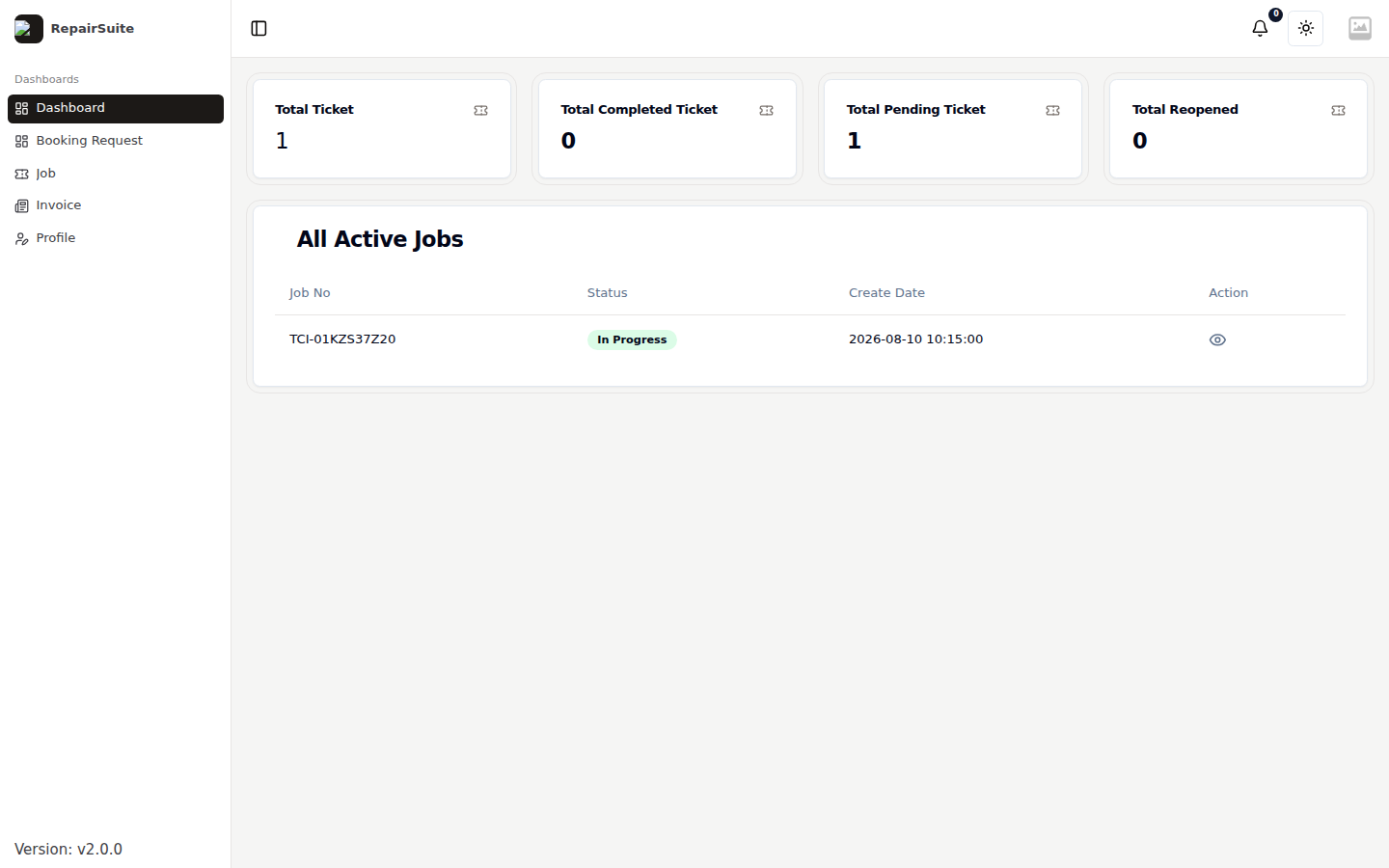
What the dashboard shows
| Card | Counts |
|---|---|
| Total Ticket | Every job the customer has with your shop |
| Total Completed Ticket | Repairs that are finished |
| Total Pending Ticket | Repairs still open |
| Total Reopened | Repairs that came back |
Below the cards, All Active Jobs lists open jobs with their number, status and the date they were booked in. The eye icon opens the job.
Navigation
The customer portal sidebar is deliberately short:
| Item | URL | Purpose |
|---|---|---|
| Dashboard | /customer/dashboard | This page |
| Booking Request | /customer/booking-request | Book a repair |
| Job | /customer/ticket | Their repairs |
| Invoice | /customer/invoice | Their invoices |
| Profile | /customer/profile | Account details |
Notifications appear under the bell in the header.
Customers without an account
A customer does not have to register to follow a repair — anyone with the job number can use the public tracker, and anyone can submit a public booking. The portal adds history, invoices and notifications on top.