My Invoices
Invoice in the customer portal lists everything the customer has been billed for — repairs and counter purchases alike.
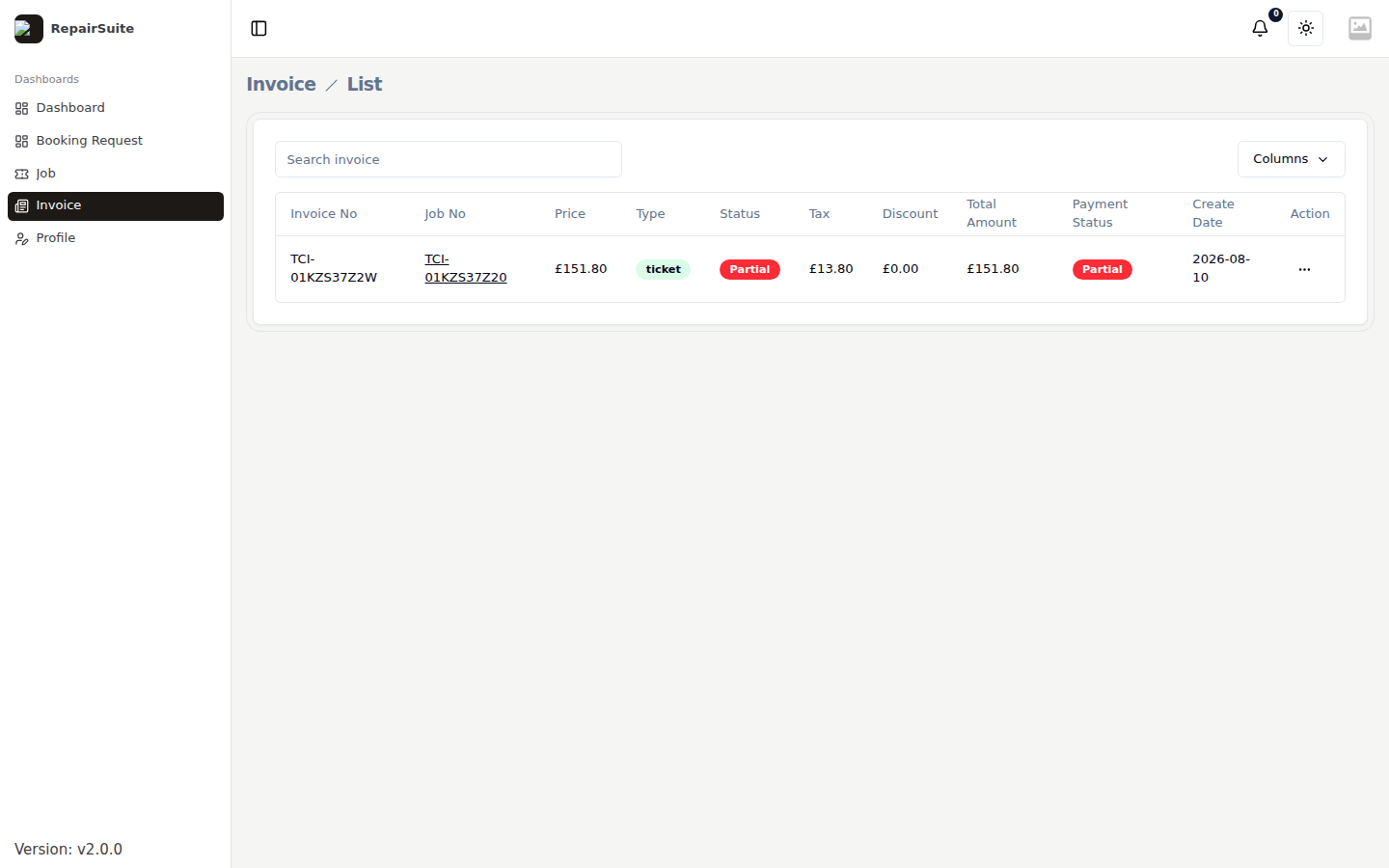
| Column | What it shows |
|---|---|
| Invoice number | The reference, also printed on the PDF |
| Date | When it was raised |
| Amount | The total |
| Status | Pending, Partially Paid or Paid |
Invoice details
Clicking an invoice opens the full document.
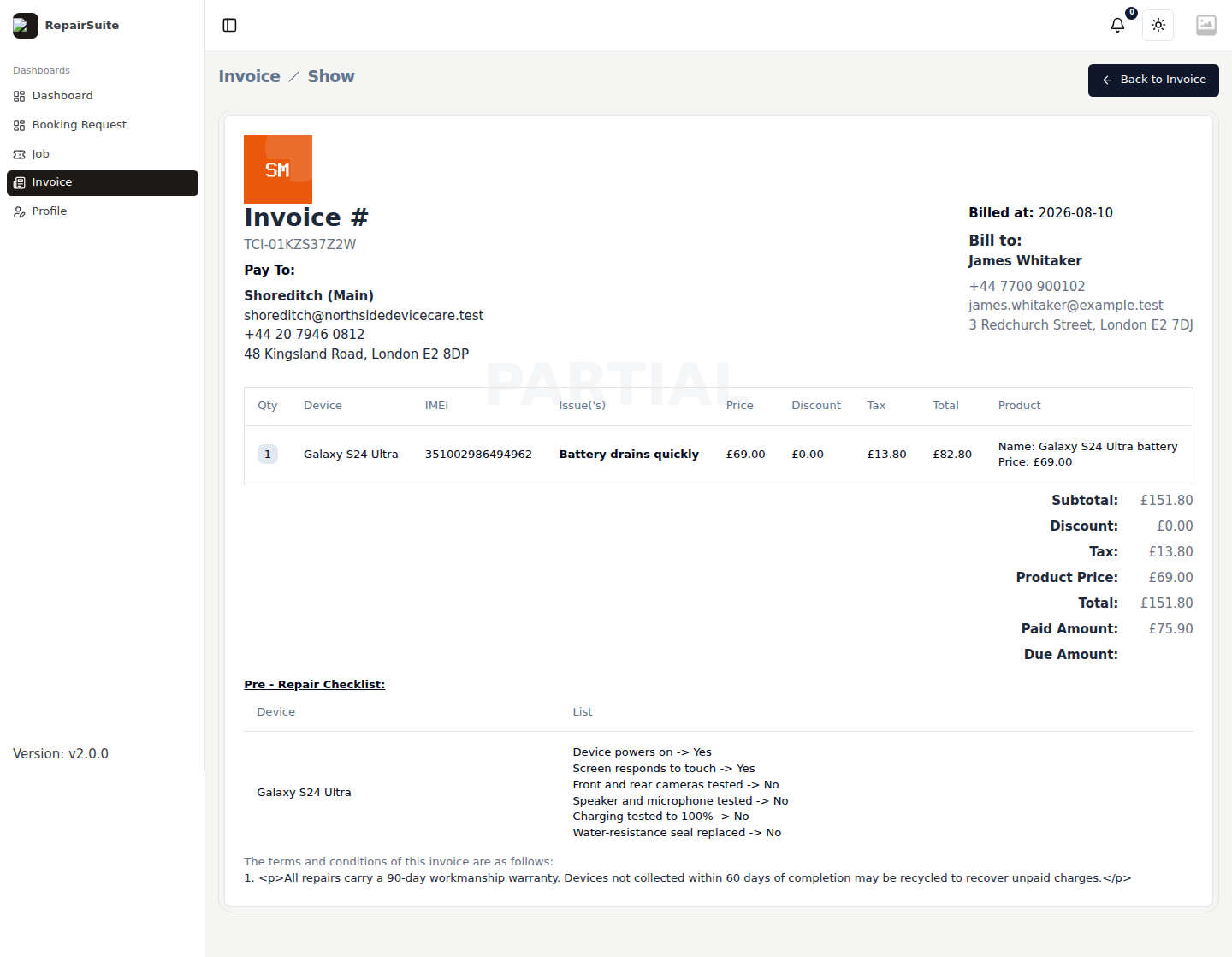
It shows your shop's details and logo, the itemised charges, any discount and tax, the total, and what has been paid so far.
Downloading a copy
Download produces a PDF the customer can keep or forward to an insurer or employer.
Purchases
Invoices from counter sales appear in the same list. The purchase detail view is at /customer/purchase/{id}/details, reachable from the invoice.