Dashboard
The Dashboard is what you land on after logging in as a shop owner or member. Everything on it is scoped to the branch you are currently working in.
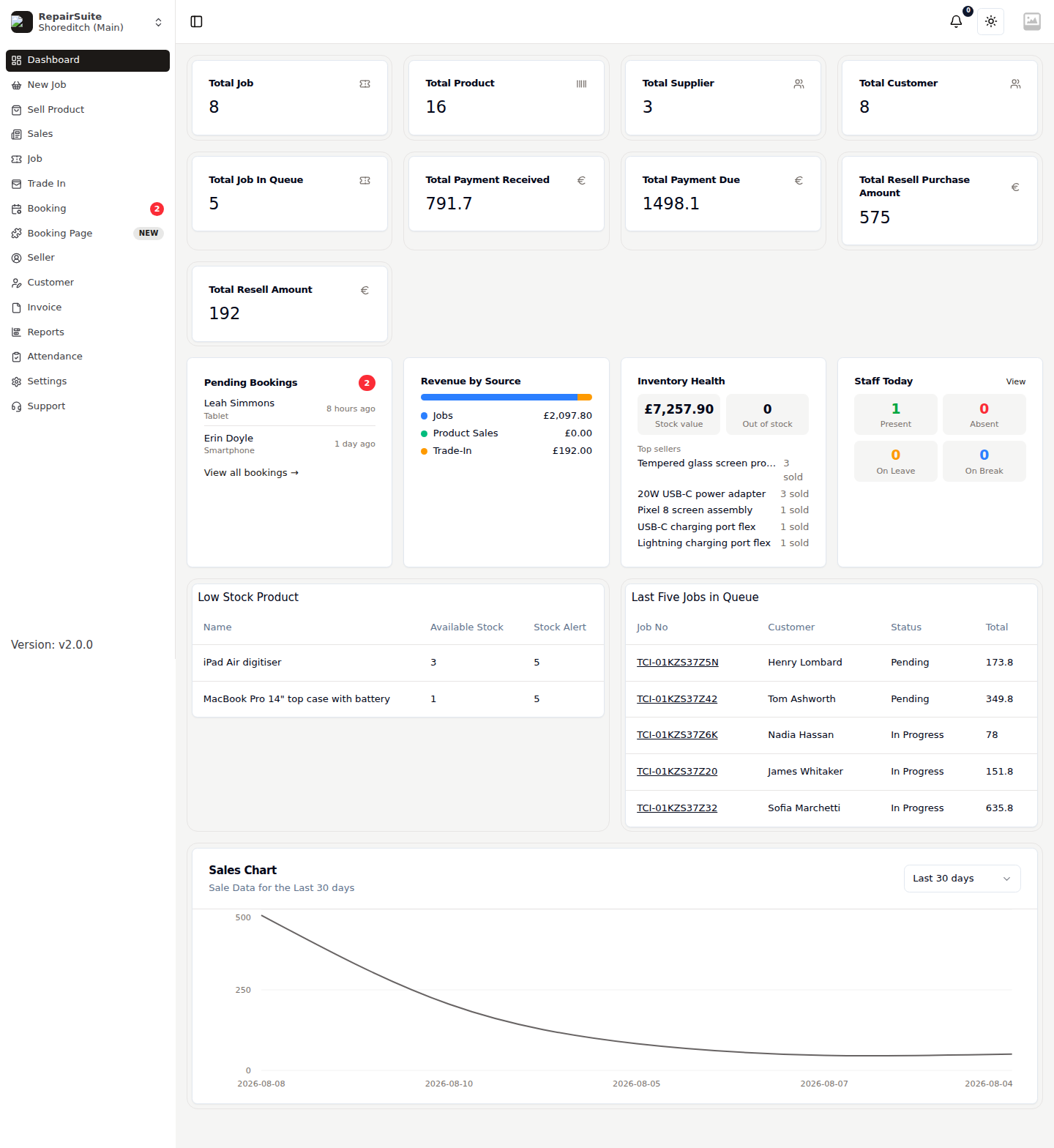
Headline counters
The cards across the top summarise the branch:
| Card | What it counts |
|---|---|
| Total Job | Every repair job at this branch |
| Total Product | Products in the branch catalogue |
| Total Supplier | Suppliers you buy parts from |
| Total Customer | Customers registered at this branch |
| Total Job In Queue | Jobs that are Pending, In Progress, Diagnosing or Reopened |
| Total Payment Received | Money collected |
| Total Payment Due | Money still outstanding on invoices |
| Total Resell Purchase Amount | What you have paid out for trade-in devices |
| Total Resell Amount | What those devices are listed to sell for |
Widgets
Four widgets sit below the counters:
Pending Bookings
The newest online booking requests waiting for a response, with how long they have been waiting. View all bookings opens the Booking Requests queue. The sidebar also carries a badge with the pending count.
Revenue by Source
A split of where your money came from — Jobs, Product Sales and Trade-In — so you can see how much of the business is repairs versus retail.
Inventory Health
Current stock value, how many lines are out of stock, and your top sellers by units moved.
Staff Today
Live attendance for the branch: how many staff are Present, Absent, On Leave or On Break. View opens the Attendance module.
Low Stock Product
Every product whose available stock has fallen to or below its stock alert level, so you know what to reorder before it runs out.
Last Five Jobs in Queue
The five most recent open jobs with customer, status and total. Click the job number to open it.
Sales Chart
Revenue over time for the branch, with a range selector (last 7, 30 or 90 days).
Navigation
The sidebar is the main navigation. Which items appear depends on your permissions and on the shop's Menu Settings.
| Item | URL | Purpose |
|---|---|---|
| Dashboard | /dashboard | This page |
| New Job | /pos | Start the repair job wizard |
| Sell Product | /product-sale/pos | Point of sale for stocked products |
| Sales | /sell | Sales history |
| Job | /ticket | Repair jobs |
| Trade In | /trade-in | Devices bought from the public |
| Booking | /booking-requests | Online booking requests |
| Booking Page | /settings/booking-page | Your public booking page and widget |
| Seller | /seller | People you buy trade-in devices from |
| Customer | /customer-list | Customer database |
| Invoice | /invoice | All invoices |
| Reports | /reports | Reporting suite |
| Attendance | /attendance | Staff attendance, shifts and leave |
| Settings | /settings/profile | Everything configurable |
| Support | /support | Raise a ticket with RepairSuite |
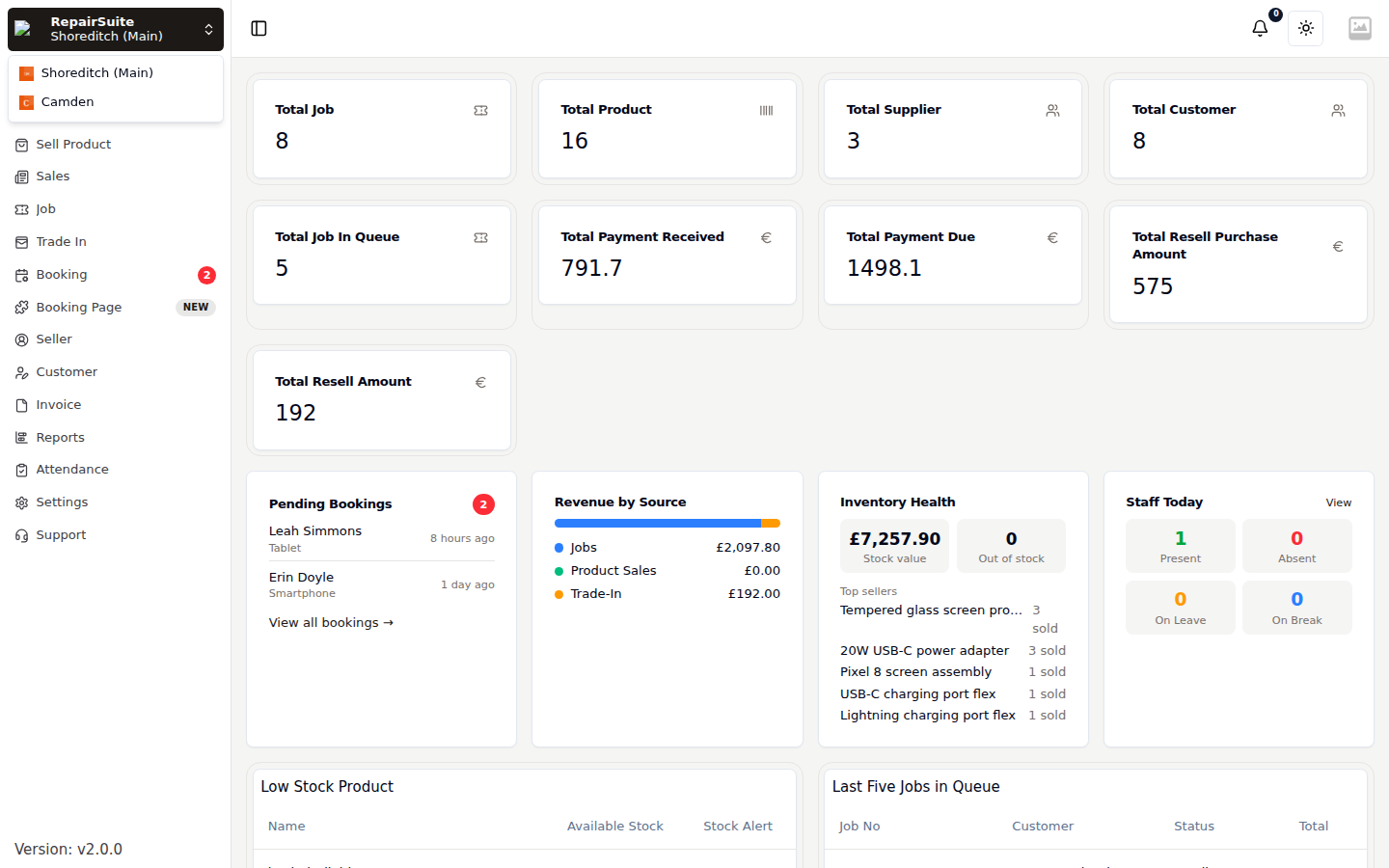
Switching branches
The control at the top of the sidebar shows your shop and current branch. Click it to switch — every page then shows that branch's data. See Shops & Branches.
No subscription
If your trial has run out and there is no active subscription, RepairSuite sends you to the pricing page instead of the dashboard. Pick a plan to restore access — see Subscription & Billing.