Menu Settings
Not every shop uses every module. Menu Settings lets the shop owner hide the optional ones so the sidebar shows only what the team actually works with.
Find it at the top of the Settings sidebar, or at /settings/menu-settings.
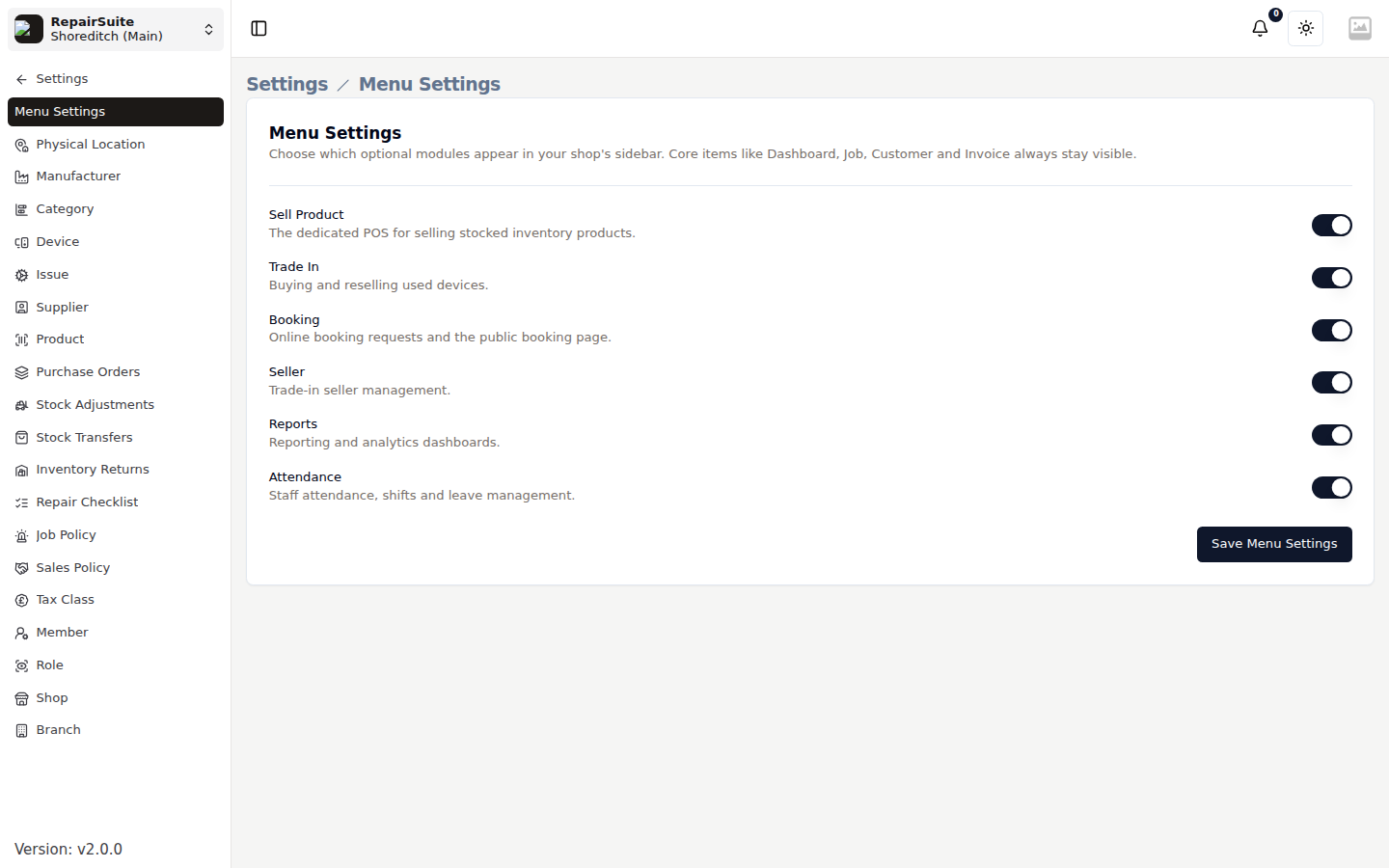
What you can hide
| Module | Hides |
|---|---|
| Sell Product | The product POS and the Sales list |
| Trade In | Buying and reselling used devices |
| Booking | Booking requests and the Booking Page settings |
| Seller | Trade-in seller management |
| Reports | The whole reporting suite |
| Attendance | Staff attendance, shifts and leave |
Core items — Dashboard, New Job, Job, Customer, Invoice, Settings and Support — always stay visible and cannot be switched off.
How to use it
- Open Settings → Menu Settings
- Toggle off the modules you don't use
- Click Save Menu Settings
The sidebar updates for everyone in the shop.
What it does not do
:::warning This is a visibility setting only. Hiding a module does not revoke permissions, disable its routes, or delete any data. Someone with the URL and the right permission can still reach the page.
To actually restrict access, remove the permission from the role — see Roles & Members. :::
Turning a module back on restores it immediately, with all its data intact.
Who can change it
Only the shop owner. Members, whatever their role, do not see this screen.