Shops & Branches
RepairSuite is built around a multi-shop, multi-branch architecture. This section explains how shops and branches relate to each other and how data is organised within them.
Hierarchy
Account (Shopper)
  └── Shop A
        ├── Branch 1  ← Main Location
        ├── Branch 2  ← Second Location
        └── Branch 3  ← Third Location
  └── Shop B
        └── Branch 1
One account can have multiple shops, and each shop can have multiple branches.
Shops
A shop represents your business entity — the company or brand. Think of it as the parent container for everything.
- Each shop has its own name, logo, contact details
- Customers, inventory data, and settings are contained within shops (and further scoped to branches)
- The shop logo appears on invoices and printed labels
Common use case: A single shop with multiple branches (locations).
Branches
A branch is a physical location where repair work is done. All operational data in RepairSuite is branch-scoped:
| Data | Scoped To |
|---|---|
| Repair jobs | Branch |
| Customers | Branch |
| Inventory / Stock | Branch |
| Staff Members | Branch(es) |
| Invoices | Branch |
| Sales / POS | Branch |
When you log in, you are always working in the context of a selected branch (called the "working branch").
The Working Branch
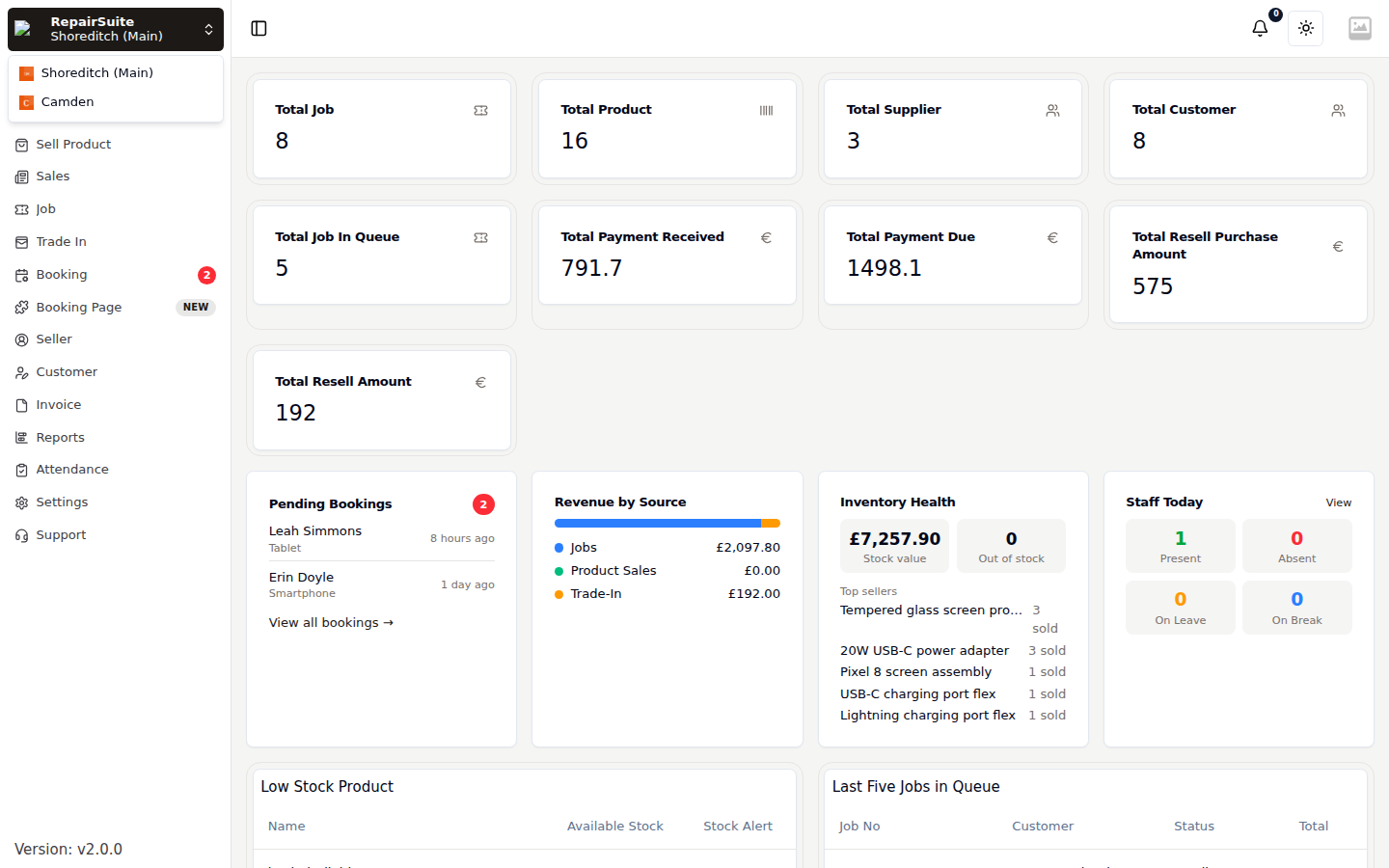
The working branch is the branch you are currently operating in. All actions you perform (booking jobs in, checking inventory, adding customers) are applied to this branch.
Switching Your Working Branch
- Click the shop and branch control at the top of the sidebar
- A dropdown will show all branches you have access to
- Click the branch you want to switch to
- The page reloads to show data for the selected branch
:::warning Always check which branch you are in before creating jobs, purchase orders or customers. :::
Branch Status
Branches can be set to Active or Inactive.
- Active → fully operational, staff can log in and use it
- Inactive → disabled; staff assigned only to this branch will be automatically logged out
Data Isolation
Data is strictly isolated by branch:
- A customer added in Branch 1 is NOT visible in Branch 2
- Inventory in Branch 1 is separate from Branch 2 (use Stock Transfers to move items)
- Jobs and invoices belong to a specific branch
Isolation is enforced at the query layer, not by convention: a record belonging to another branch returns a 404 rather than leaking into your list.
This makes RepairSuite suitable for shops where different locations operate independently, even under the same business.
Multi-Branch Setup Tips
- Create all your branches before inviting staff — it makes assigning them to the right branch much easier
- If you want a staff member to work across multiple branches, assign them to multiple branches in their member profile
- Consider creating Physical Locations within each branch to track exactly where products are stored