Attendance
The Attendance module tracks who is in the shop, when they worked, and who is off. It replaces the paper sign-in sheet and feeds the employee productivity report.
Select Attendance in the sidebar. Everything lives under one tab bar: Today, History, Schedule, Shifts, Leaves and Reports. Each tab is permission-gated, so staff only see the parts they are allowed to use.
Today
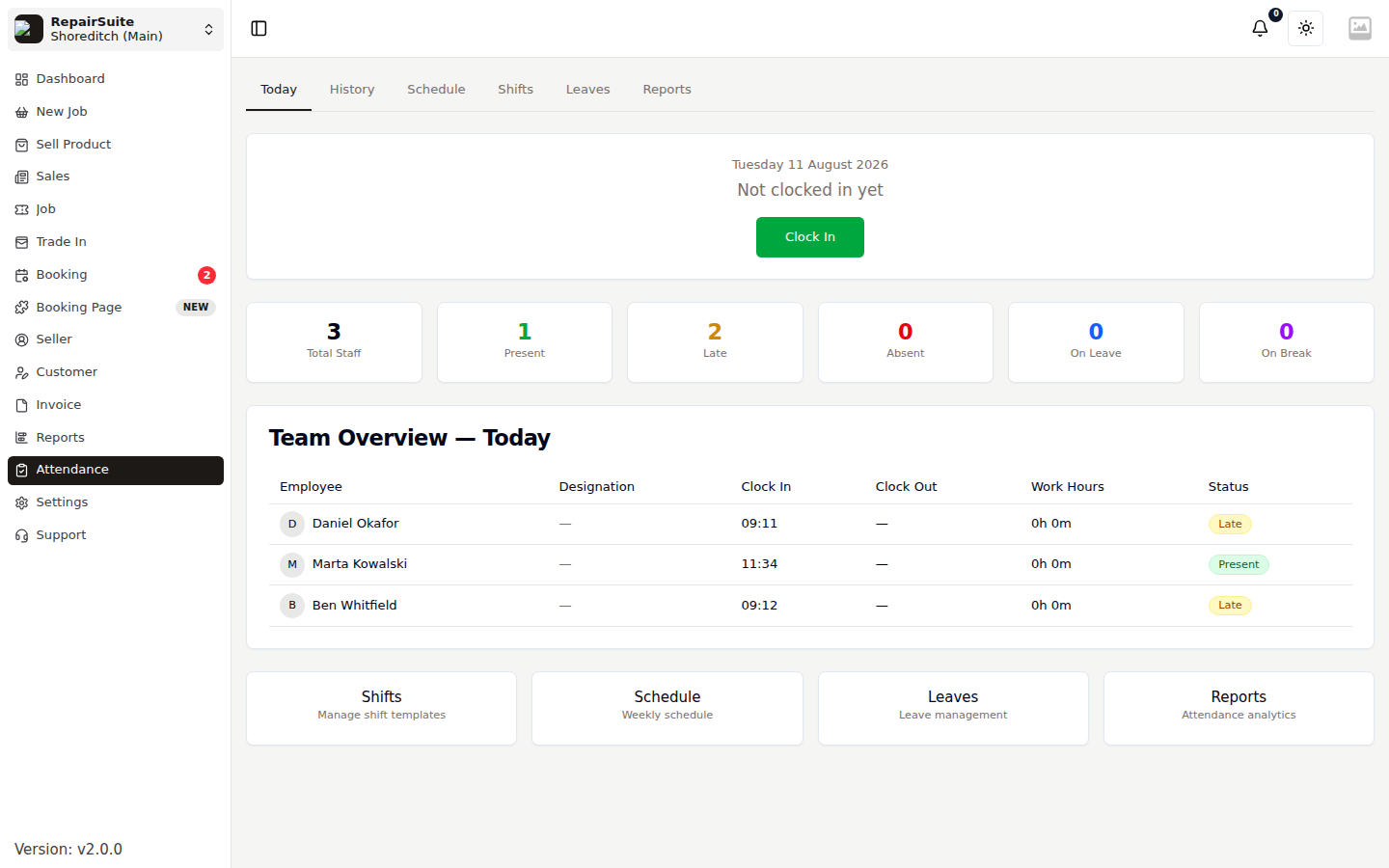
The landing tab does two things:
- Clock in / clock out for yourself, with a Start break / End break control once you are clocked in
- Team Overview for the branch today — each member's clock-in and clock-out time, hours worked and status
The counter row summarises the branch: Total Staff, Present, Late, Absent, On Leave and On Break.
:::note Someone who clocks in after their shift's start time plus its grace period is marked Late automatically. :::
Managers can also mark absent anyone who has not clocked in.
History
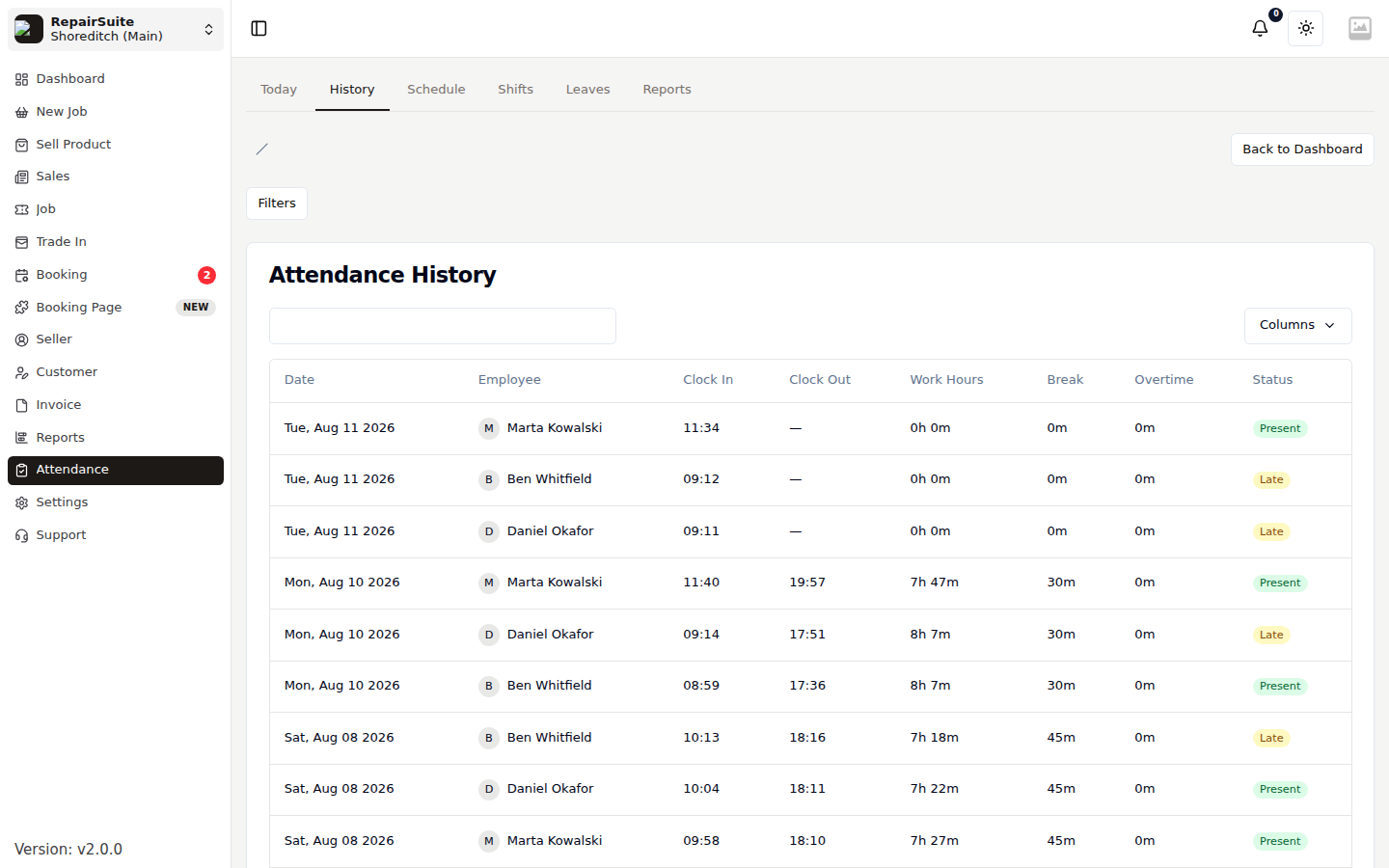
A searchable record of past attendance, filterable by employee and date range. Use it to answer "was Marta in on the 3rd?" without digging.
Shifts
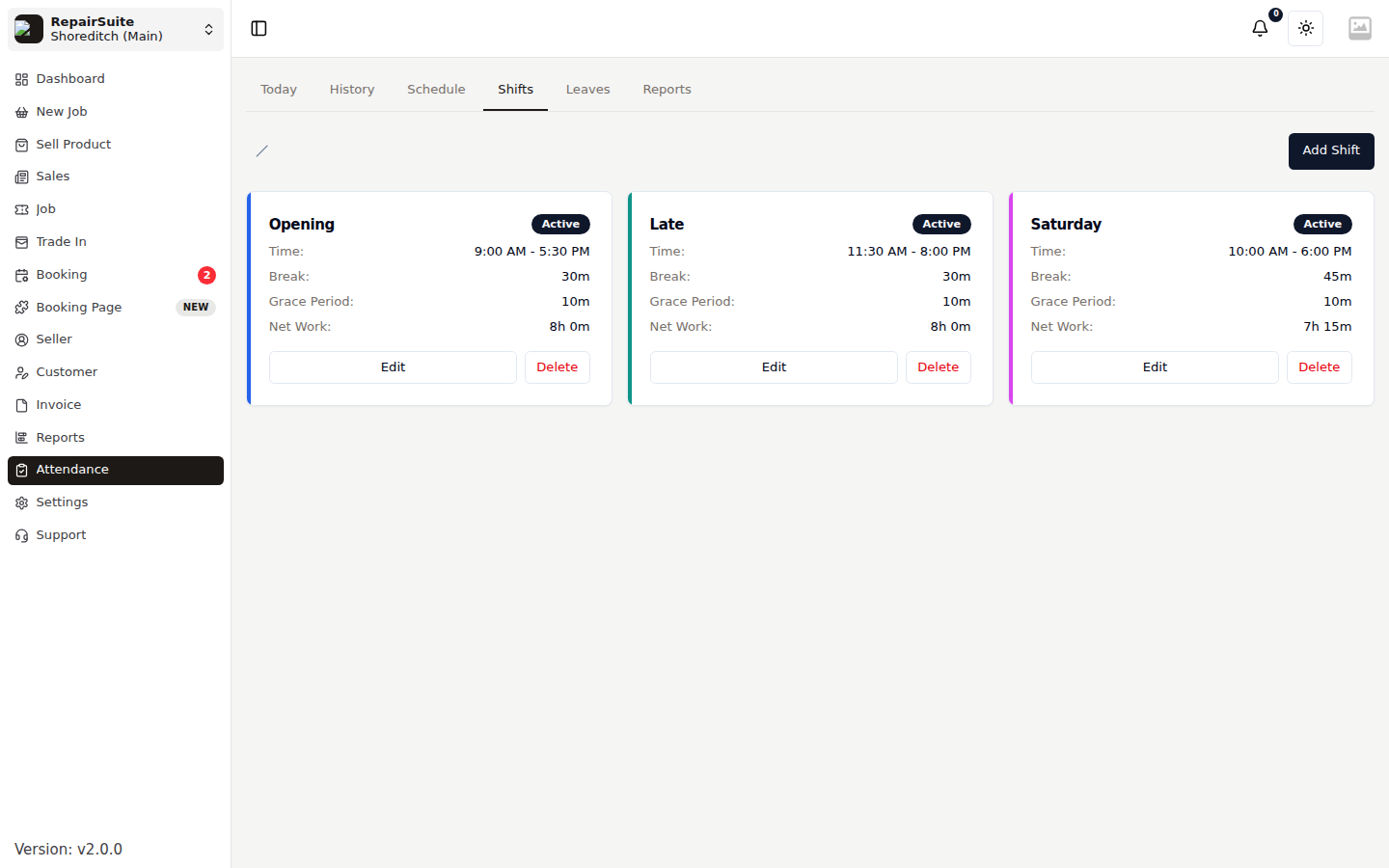
Shifts are the templates you roster people onto.
| Field | Description |
|---|---|
| Name | e.g. Opening, Late, Saturday |
| Start / End time | The working window |
| Break duration | Unpaid minutes deducted from the shift |
| Grace period | How many minutes late still counts as on time |
| Overnight | Tick when the shift crosses midnight |
| Colour | Used on the schedule so rotas are readable |
| Active | Inactive shifts stay on past rotas but can't be assigned |
Schedule
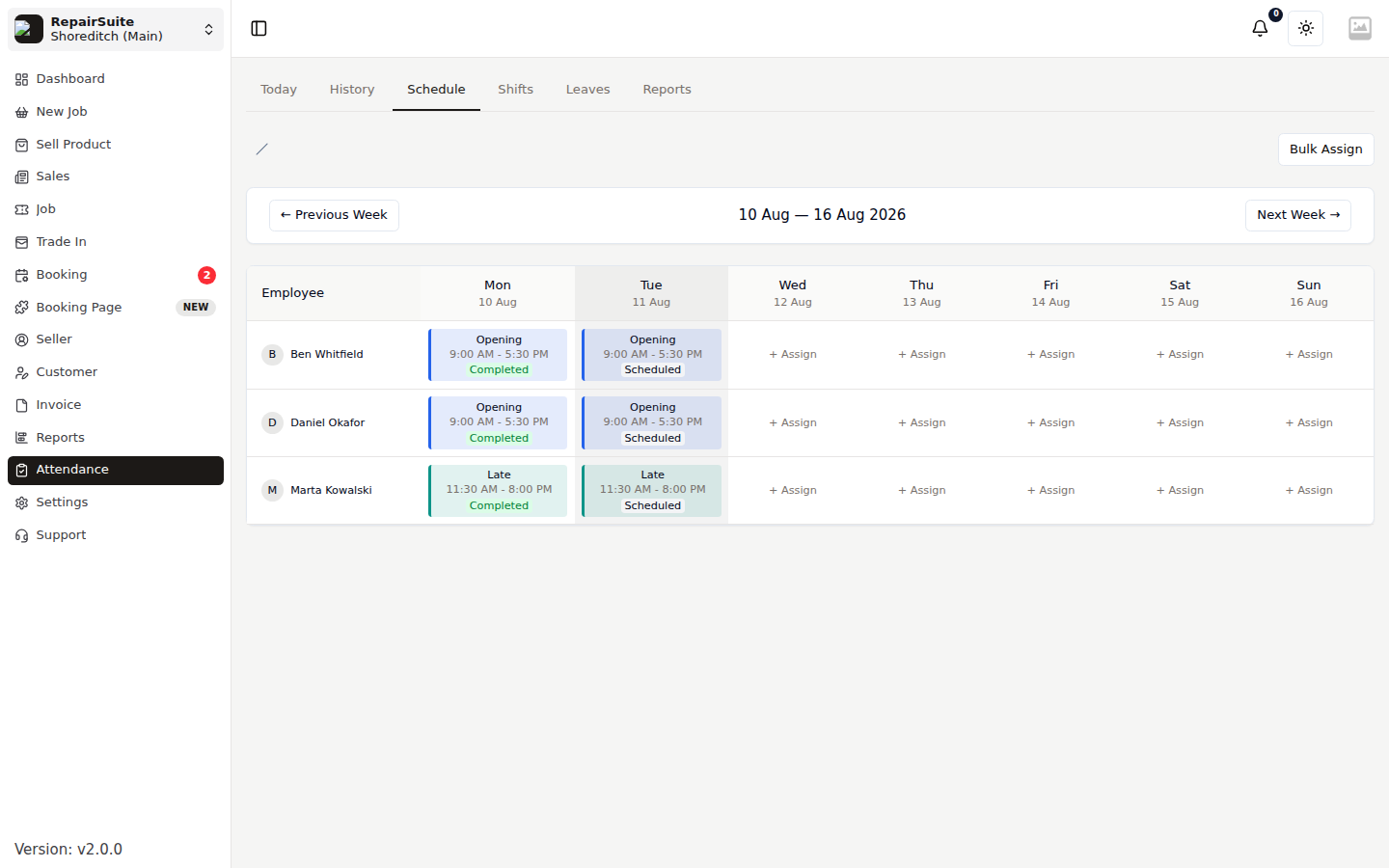
The weekly rota. Assign a shift to a person on a date, or use bulk assign to fill a whole week at once. Each scheduled entry is marked Scheduled, Completed, Absent or On Leave as the week plays out.
Leaves
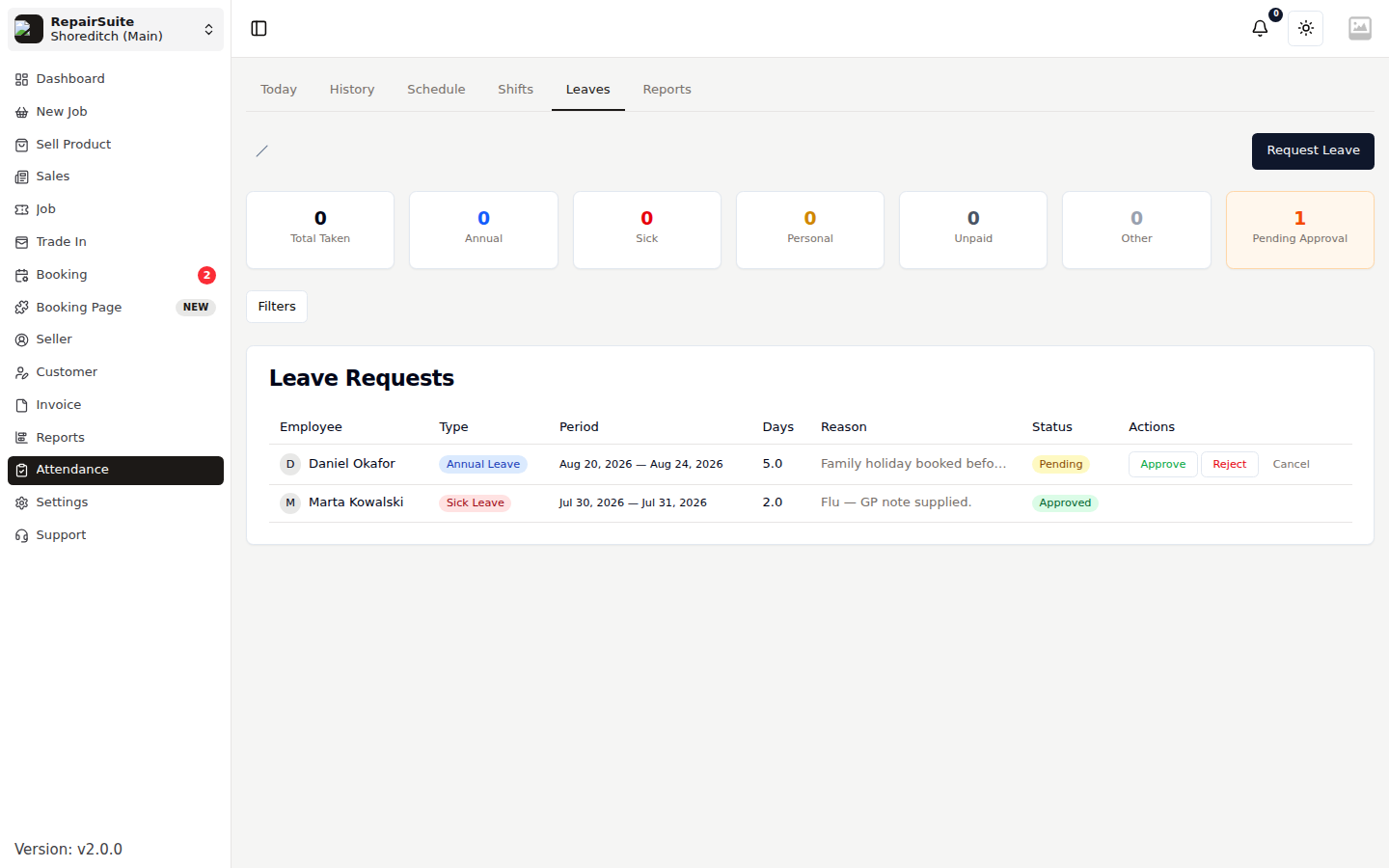
Staff request leave; managers approve or reject it.
| Leave type | Typical use |
|---|---|
| Annual | Booked holiday |
| Sick | Illness |
| Personal | Appointments and personal time |
| Unpaid | Time off without pay |
| Other | Anything else |
A request carries start and end dates, total days and a reason. Approving one marks those days On Leave on the schedule and in the Today counters. Rejecting one requires a reason, which the requester sees.
Reports
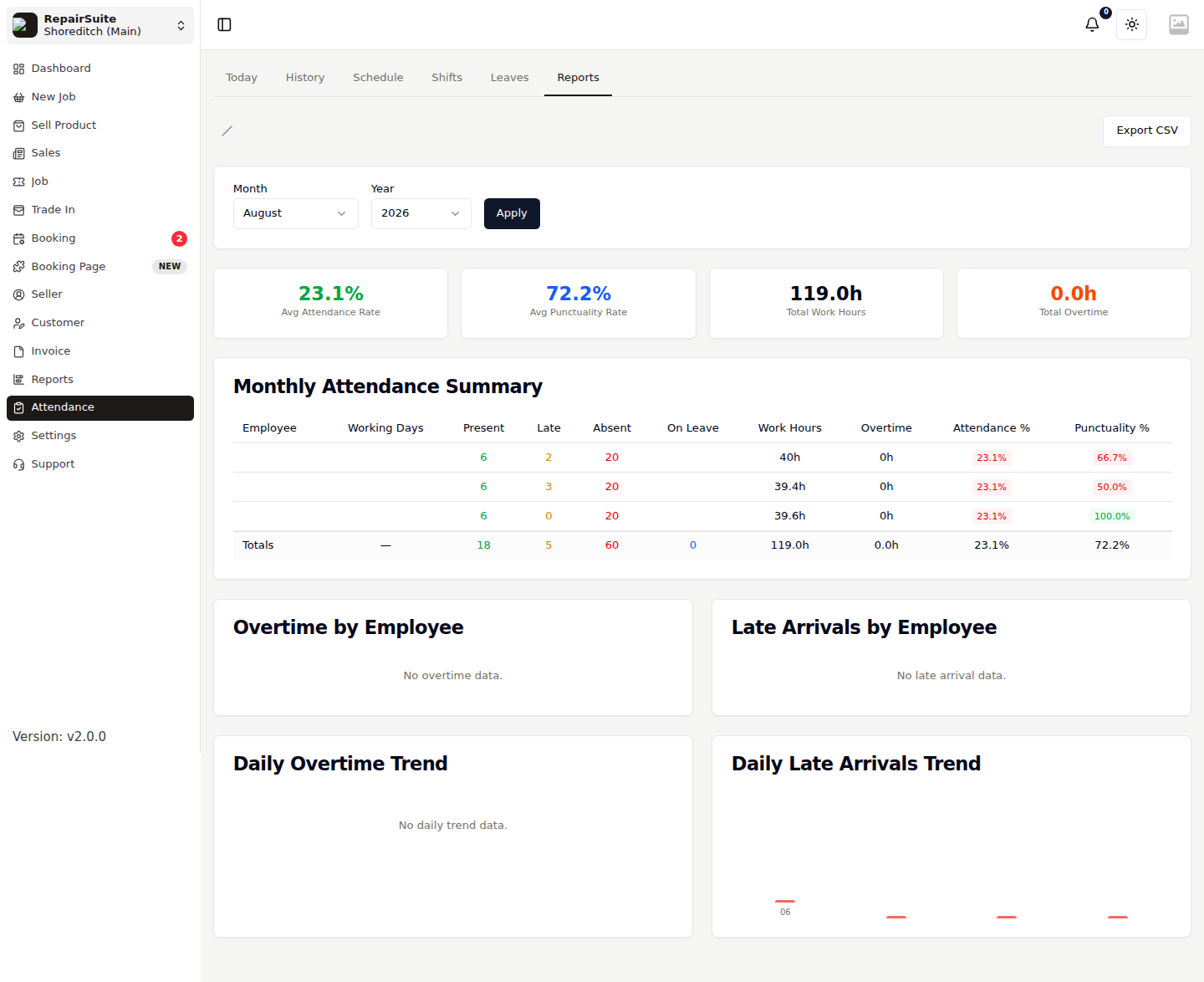
Per-employee attendance analytics over a date range — days present, late arrivals, hours worked, leave taken. Export downloads the same data for payroll.
Permissions
Attendance has its own permission set, so you can let staff clock themselves in without seeing anyone else's data:
| Permission | Grants |
|---|---|
attendance_show | See the Attendance module |
attendance_clock | Clock in and out |
attendance_manage | Edit others' attendance, mark absent |
shift_show / shift_manage | View / edit shift templates |
schedule_show / schedule_manage | View / edit the rota |
leave_request | Request leave |
leave_manage | Approve and reject leave |
attendance_report / attendance_export | View and export reports |
Assign them on a role — see Roles & Members.
:::tip Attendance is one of the modules you can hide from the sidebar entirely in Menu Settings if you don't use it. :::