Affiliate Program Overview
The RepairSuite Affiliate Program lets you earn commission by referring repair shops to the platform.
How it works
- Sign up as an affiliate — see Becoming an Affiliate
- Create referral codes and share them
- When a shop signs up and subscribes through your code, you earn commission
- Commission accrues against your balance
- Request a payout once you are over the minimum threshold
What you earn on
| Commission type | When it is earned |
|---|---|
| Shop creation | A one-off bonus when a referred user creates their shop |
| Subscription | A share of what the referred shop pays for its plan |
Your commission rate is set by the platform administrator and is shown on each commission record. Individual referral codes can carry their own rate, which overrides your default — useful for a campaign or a trade show.
Commission statuses
| Status | Description |
|---|---|
| Pending | Earned, waiting on confirmation from the platform |
| Approved | Confirmed and added to your balance |
| Rejected | Not approved — for example the subscription was refunded |
| Paid | Included in a payout that has been processed |
How referrals are tracked
- Referral link —
https://app.repairsuite.co.uk/ref/YOUR_CODE. Visiting it sets a cookie; if the visitor subscribes while it is valid, the commission is yours. - Referral code — the shop owner types your code into the Referral Code field at checkout.
The affiliate portal
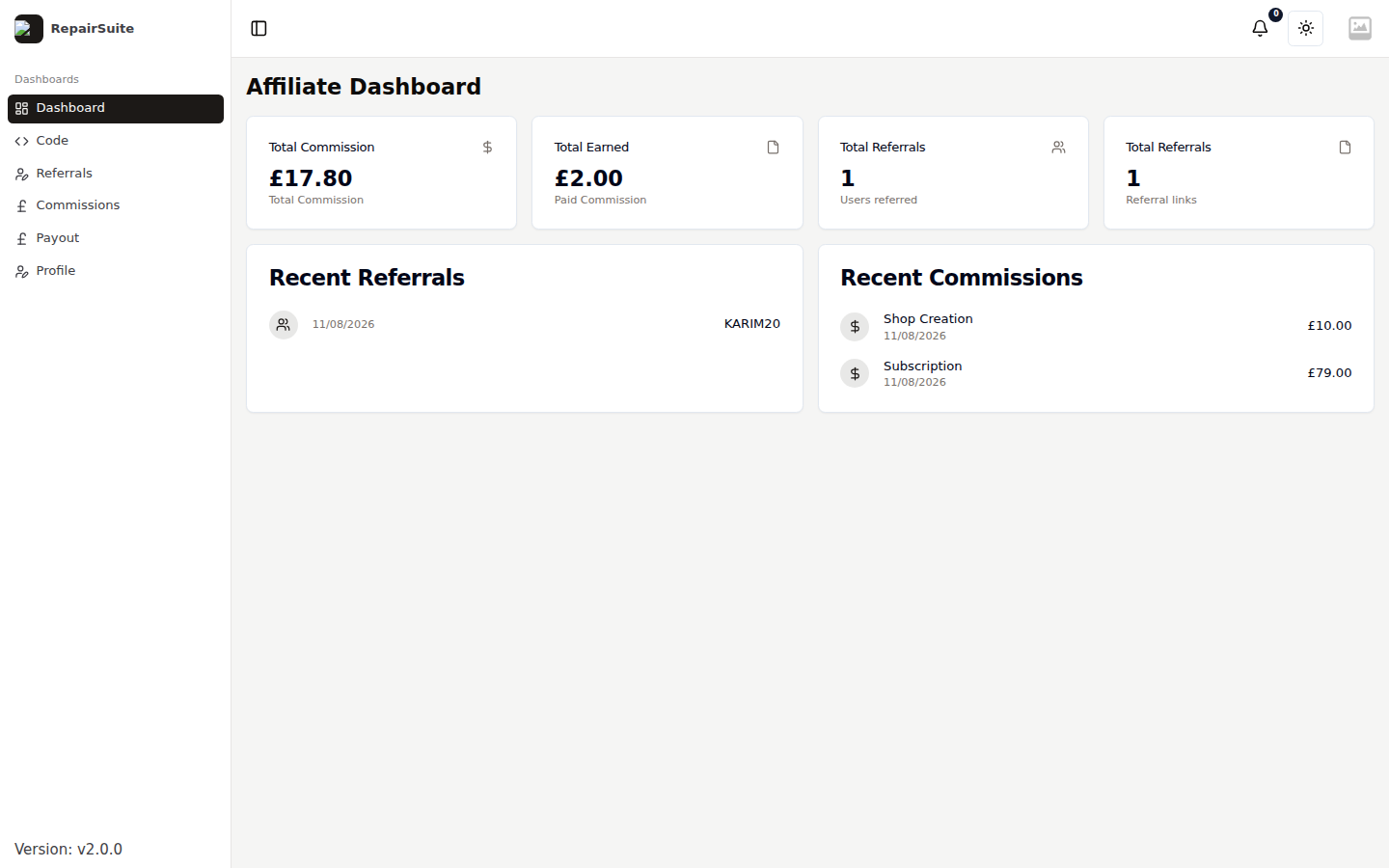
Log in with your affiliate account and RepairSuite takes you to /affiliate/dashboard. The sidebar has six entries:
| Item | Purpose |
|---|---|
| Dashboard | Balance, referrals and recent commissions |
| Code | Create and manage referral codes |
| Referrals | Everyone who signed up through your codes |
| Commissions | Commission history |
| Payout | Request a payout |
| Profile | Your details and payment information |