Payouts
Once you have earned enough commission, request a payout to receive it.
Select Payout in the affiliate sidebar.
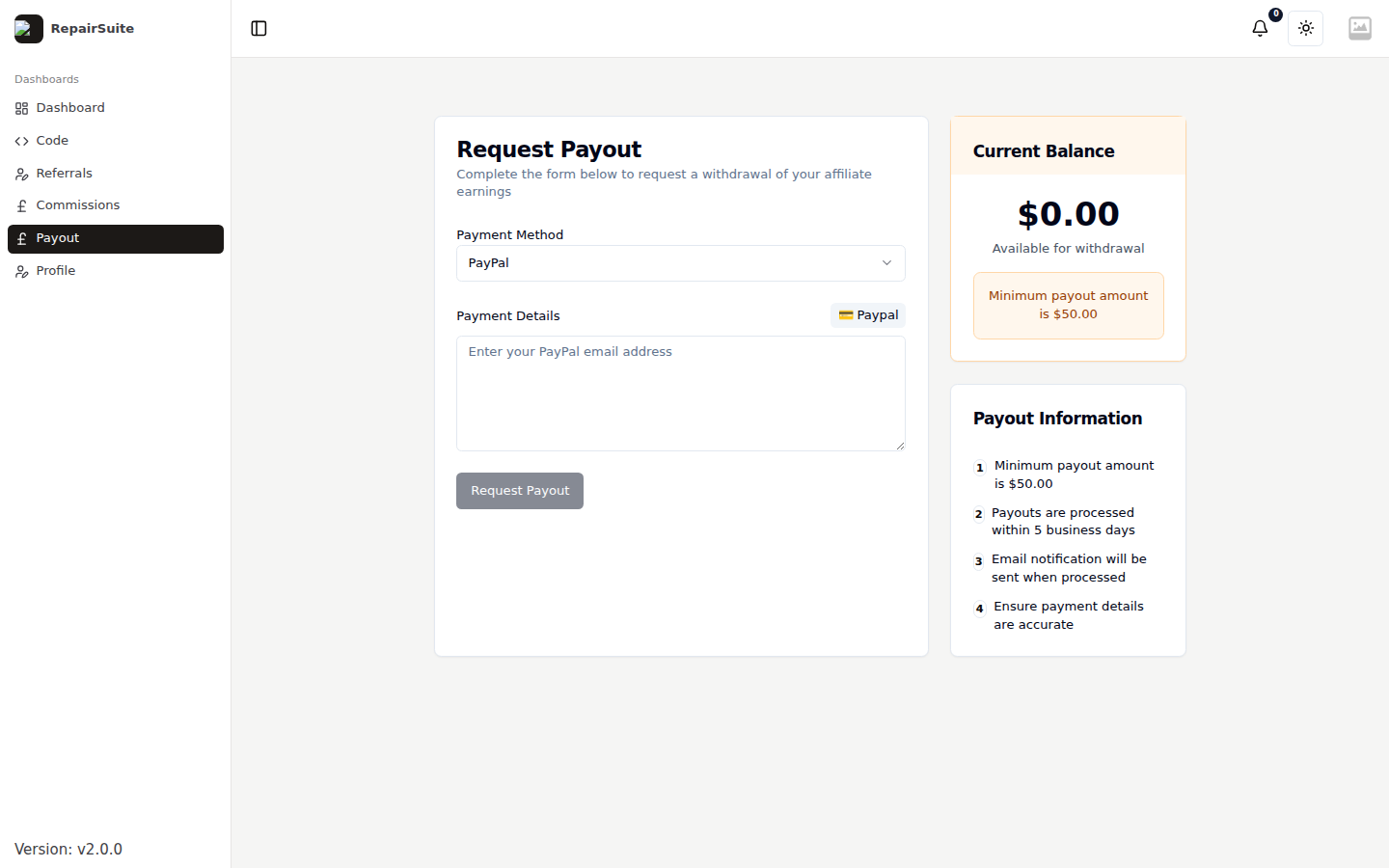
Current Balance
The panel on the right shows what is available for withdrawal — your approved commission, less anything already paid out — and the minimum payout amount set by the platform. The Request Payout button stays disabled until your balance clears that minimum.
Requesting a payout
- Choose a Payment Method — PayPal or bank transfer
- Fill in the Payment Details for that method — your PayPal email, or your account name, sort code and account number
- Click Request Payout
Your request goes to the platform administrator for review.
:::warning Check your payment details before submitting. A payout sent to the wrong PayPal address or account number cannot be recalled by RepairSuite. :::
Payout information
| Minimum payout | Set by the platform administrator and shown on this page |
| Processing time | Typically within 5 business days of approval |
| Notification | You receive an email when a payout is processed |
Payout statuses
| Status | Description |
|---|---|
| Pending | Submitted, waiting on the platform |
| Approved | Approved, payment being processed |
| Rejected | Declined — the reason is in the admin notes |
| Paid | Payment sent |
History
Past requests and their status are listed on the same page, below the form.