Referral Codes
Referral codes attribute signups back to you. When someone subscribes through your code, the commission is credited to your account.
Your codes
Select Code in the affiliate sidebar.
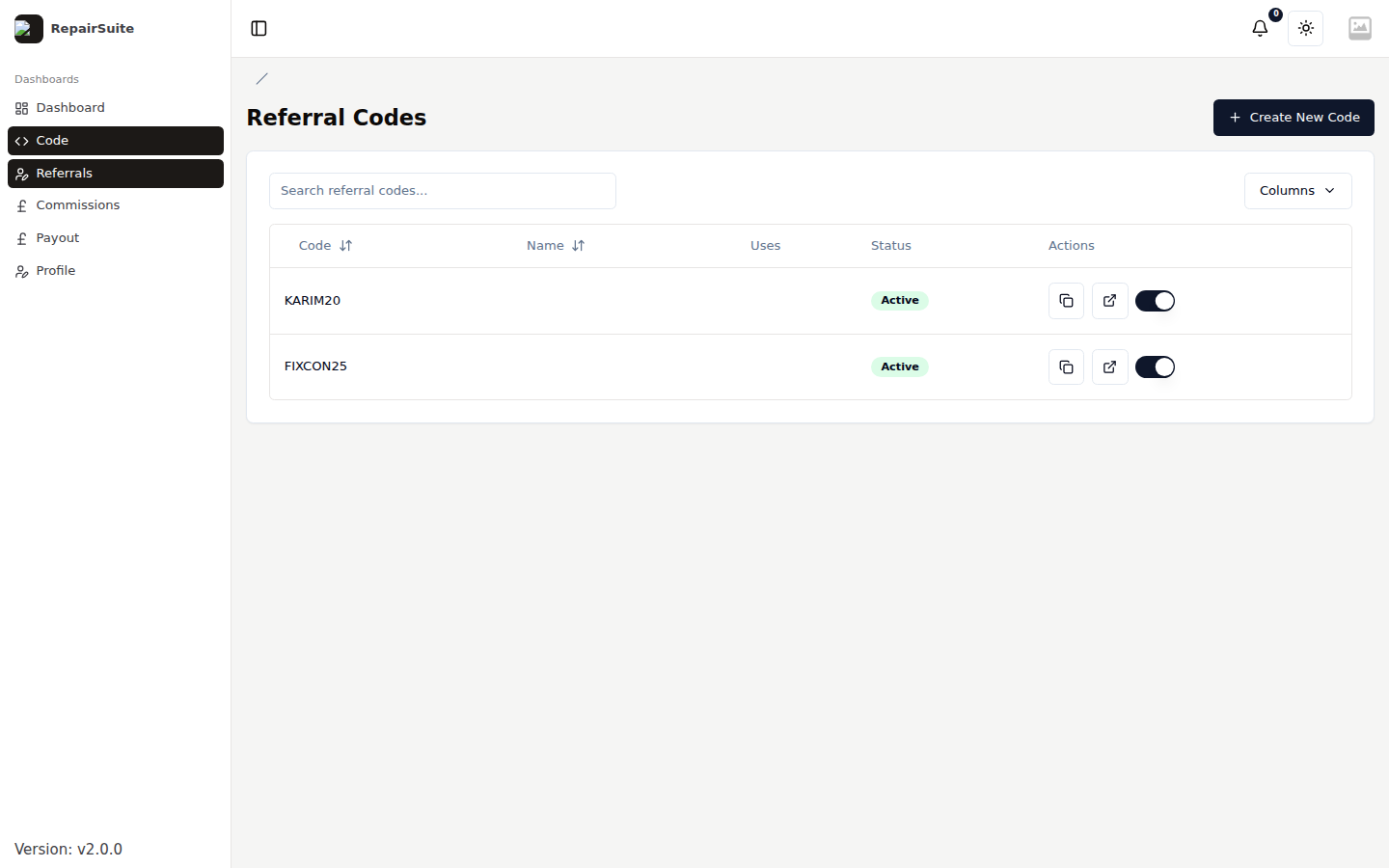
| Column | What it shows |
|---|---|
| Code | The code itself, e.g. KARIM20 |
| Name | Your description of where it is used |
| Uses | How many signups it has brought in |
| Status | Active or Inactive |
| Actions | Copy the referral link, open it, and the on/off toggle |
Creating a code
Click Create New Code.
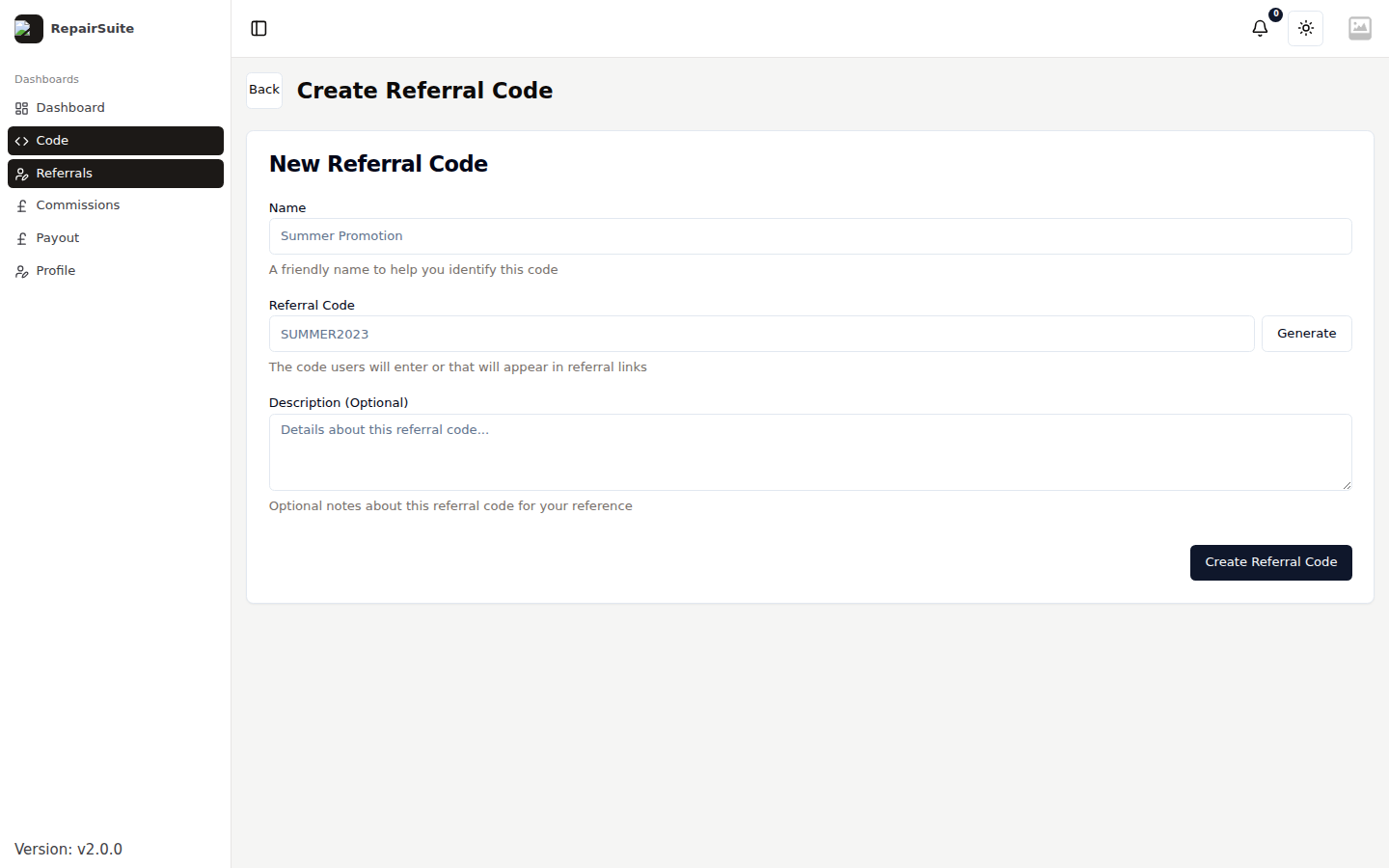
| Field | Description |
|---|---|
| Code | A unique identifier — MYSHOP20, FIXCON25 |
| Description | Where you plan to use it, so you can tell campaigns apart |
| Custom commission rate | Overrides your default rate for this code only |
| Max uses | Cap how many times it can be used; leave empty for unlimited |
| Expires at | Optional expiry date |
Sharing a code
As a link:
https://app.repairsuite.co.uk/ref/YOUR_CODE
Visiting the link sets a tracking cookie. If the visitor subscribes while it is valid, the commission is yours. Use the copy button in the Actions column to grab it.
As a code: tell the shop owner to type it into the Referral Code field at checkout.
Turning a code off
Use the toggle in the Actions column. An inactive code stops tracking new referrals; commission already earned through it is unaffected.
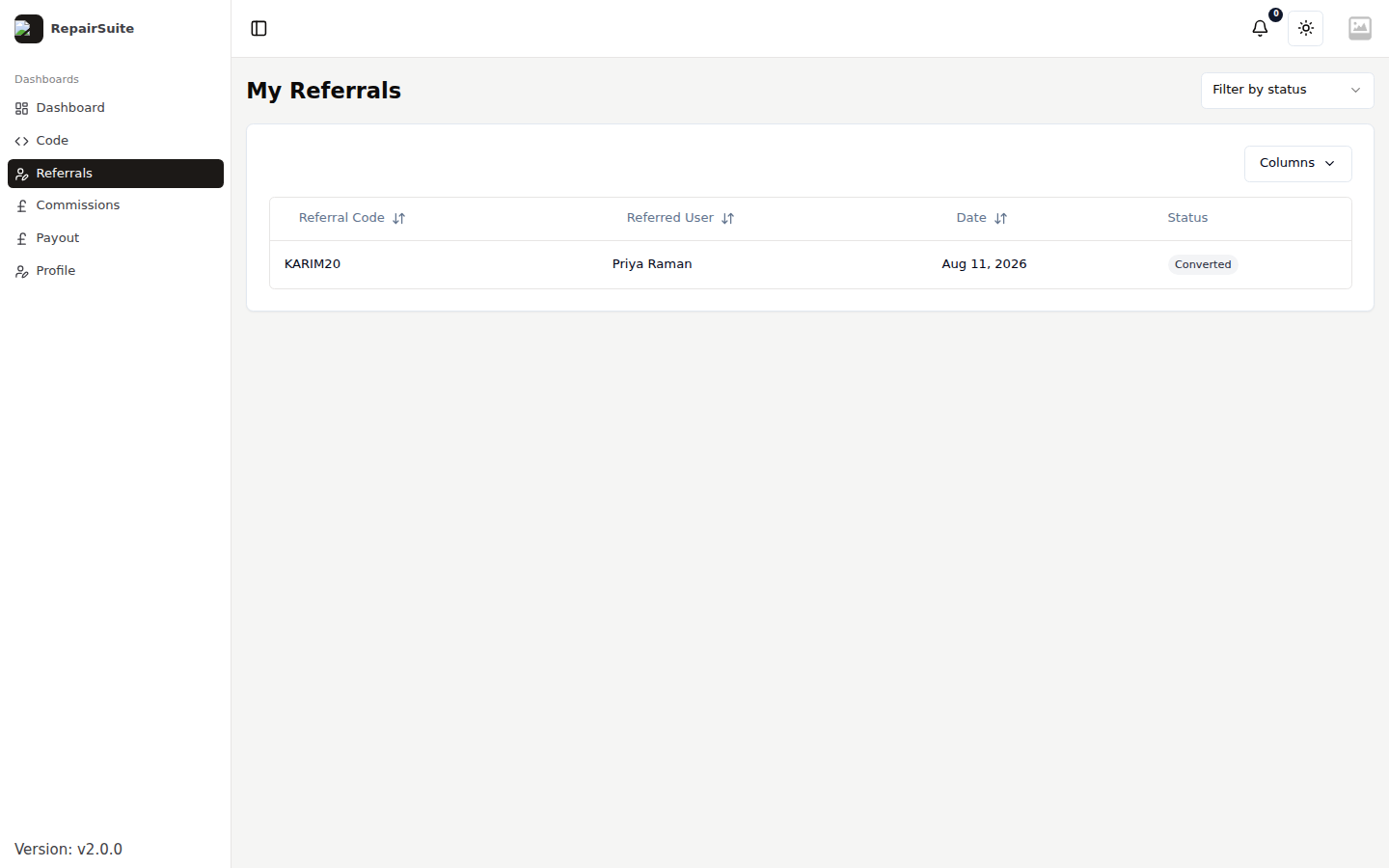
Referrals
Select Referrals in the sidebar to see everyone who signed up through your codes, with which code brought each one in and whether they converted to a paying subscription.