Support Tickets
Support is your line to the RepairSuite platform team — for a bug, a billing question or a feature request. It is separate from the repair jobs you run for your own customers.
Select Support in the sidebar (/support).
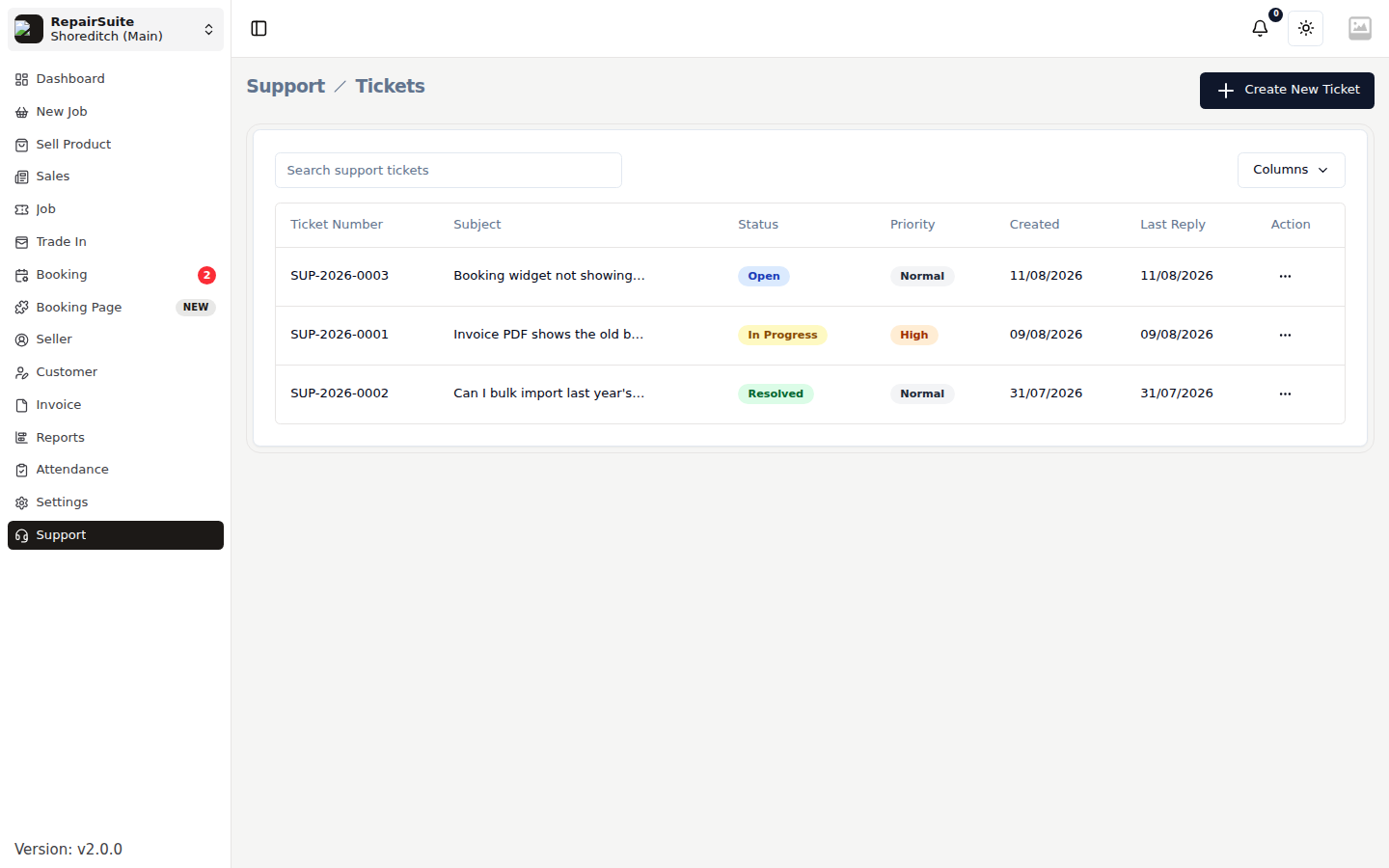
Raising a ticket
Click New Support Ticket.
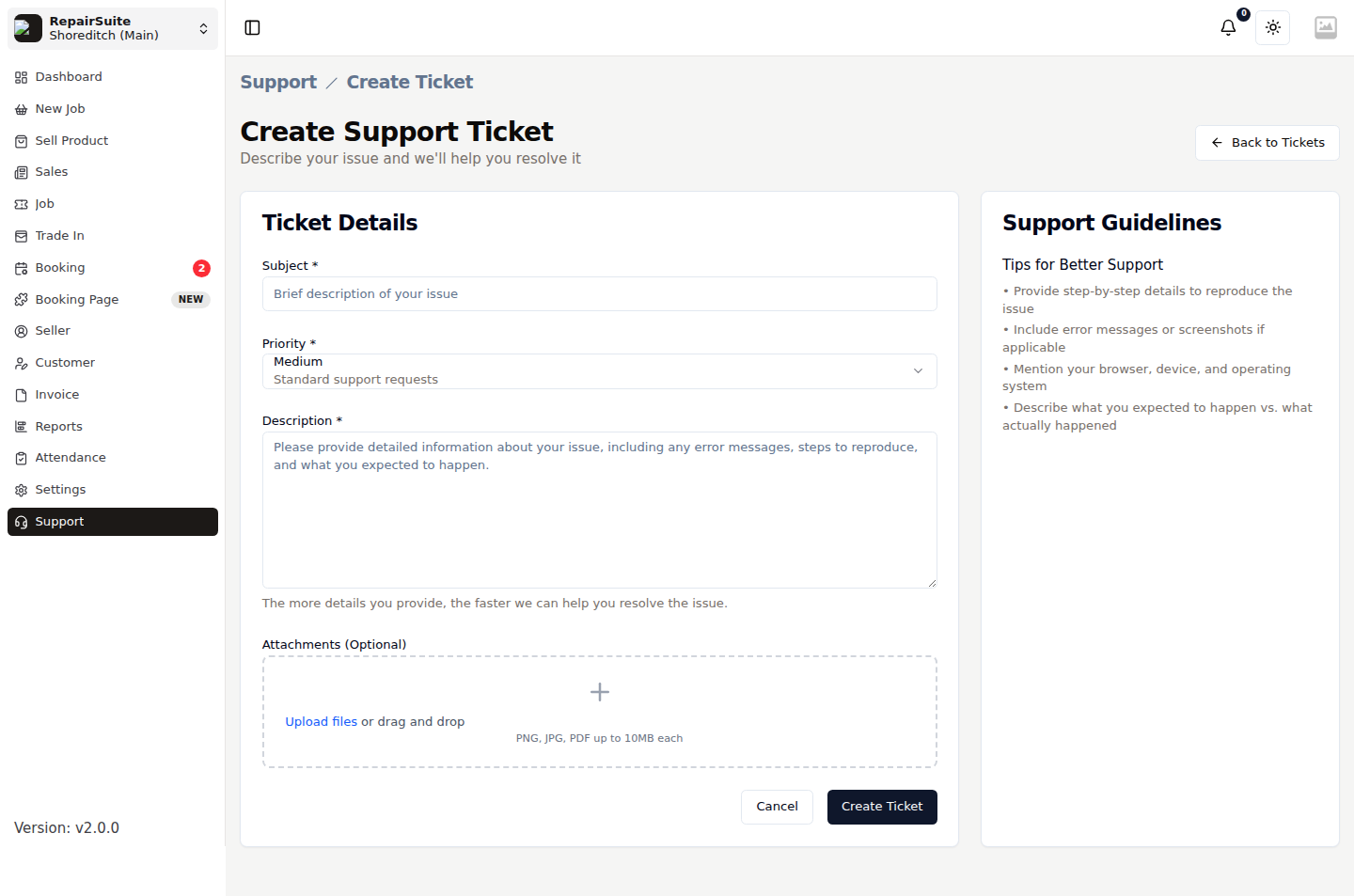
| Field | Description |
|---|---|
| Subject | A one-line summary |
| Priority | Low, Normal, High or Urgent |
| Description | What happened, what you expected, and how to reproduce it |
| Attachments | Screenshots, exports, anything that helps |
:::tip Include the job or invoice number and roughly when it happened. It is usually the difference between a same-day answer and a round trip asking for details. :::
The conversation
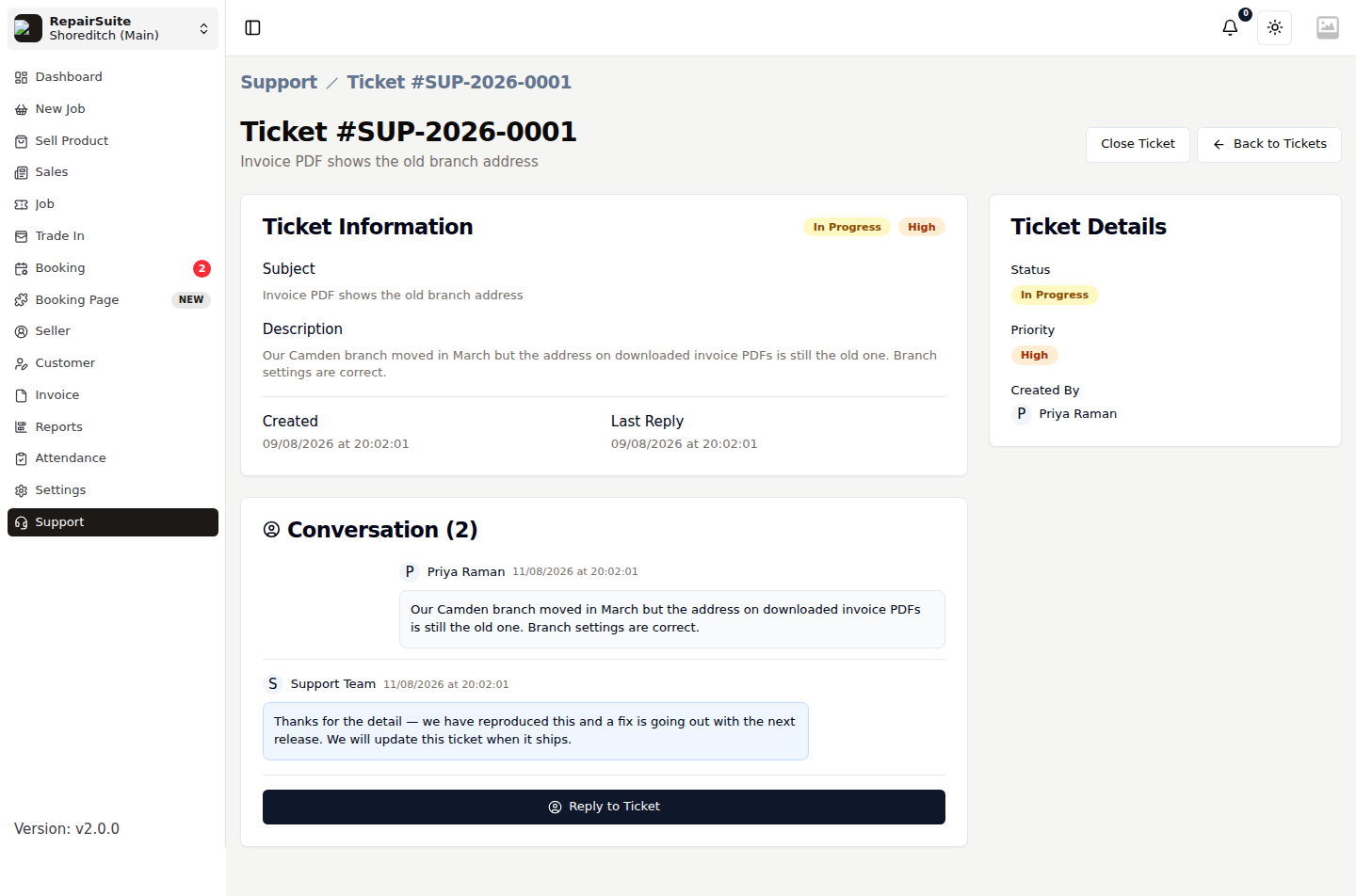
Opening a ticket shows the whole thread — your original message and every reply, oldest first, with attachments available to download.
To reply, type into the box at the bottom, attach anything relevant, and click Reply.
Statuses
| Status | Meaning |
|---|---|
| Open | Raised, waiting on the support team |
| In Progress | Being worked on |
| Resolved | Support believes it is fixed |
| Closed | Finished |
| Reopened | You reopened it because the problem came back |
Closing and reopening
Click Close Ticket when your issue is sorted. If it returns, open the closed ticket and click Reopen — the original thread is kept, so you do not have to explain it again.