Checkout
When you choose a subscription plan, you'll go through the checkout process to activate your subscription.
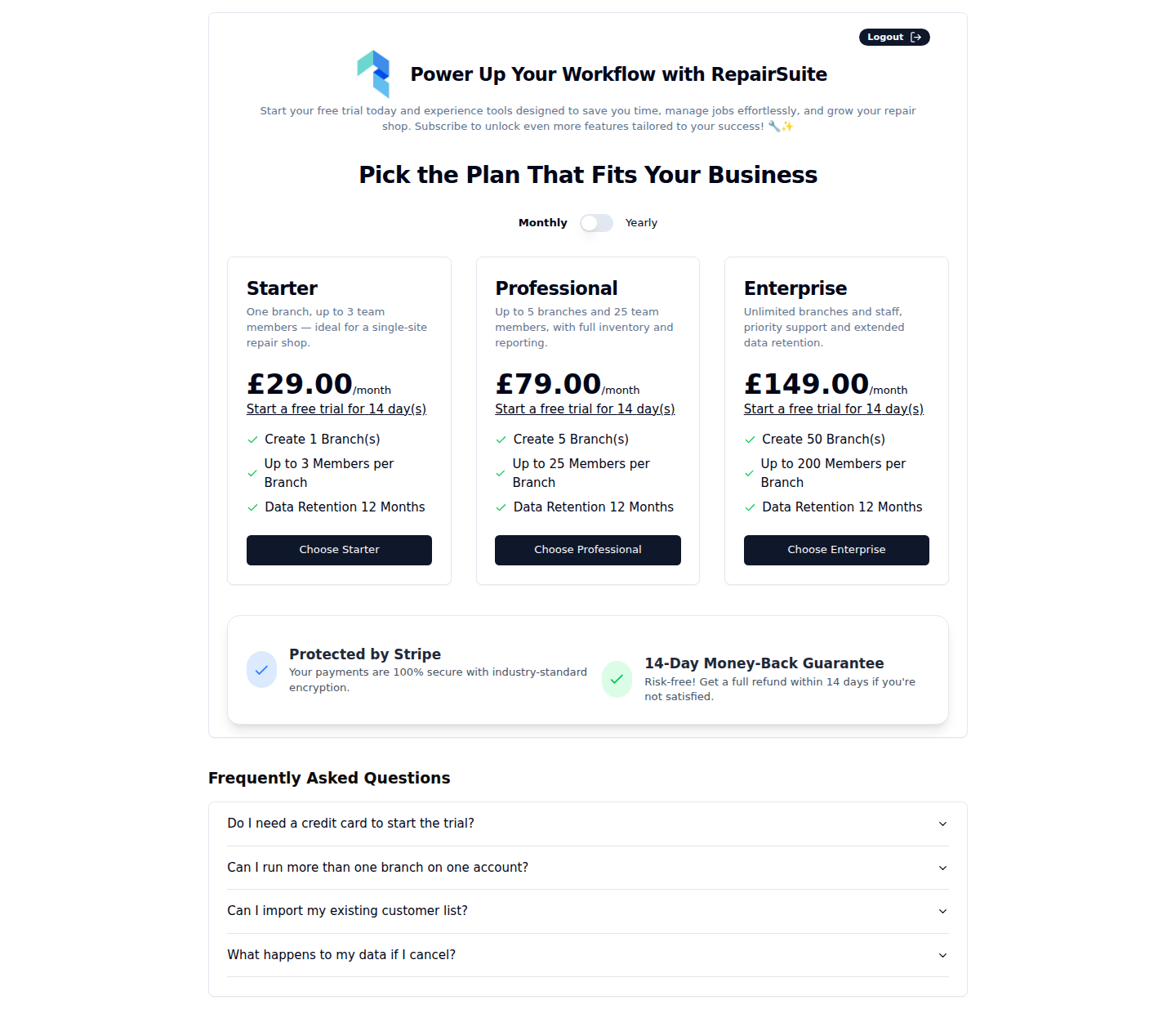
Checkout Steps
- Go to the pricing page (
/pricing) - Click Subscribe on the plan you want
- You land on the checkout page at
/checkout/{plan_id}
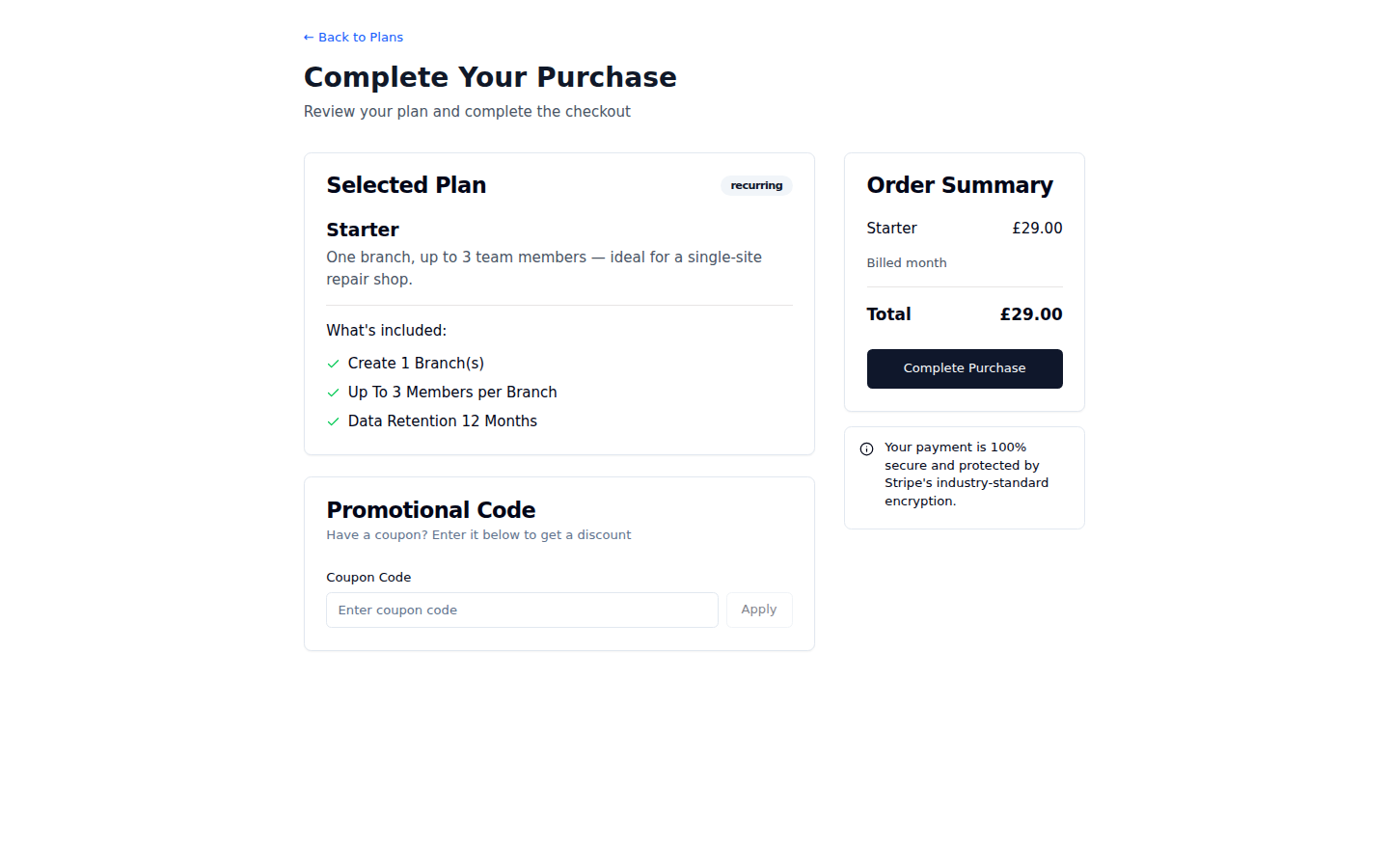
On the Checkout Page
Order Summary:
- Plan name and description
- Billing amount and interval (monthly/annual)
- Any discounts applied (coupon or referral)
- Final total
Coupon Code:
- Enter your coupon code in the Coupon Code field
- Click Apply
- The discount is shown immediately in the order summary
- Proceed with the discounted amount
Payment:
- Enter your credit/debit card details (processed securely by Stripe)
- Card number, expiry date, and CVC
- Click Subscribe / Complete Purchase
- You'll be redirected to a payment success page
Payment Security
All payments are processed by Stripe — a leading payment processor trusted by millions of businesses worldwide. RepairSuite never stores your full card details.
Failed Payments
If your payment fails:
- Check your card details are entered correctly
- Ensure you have sufficient funds
- Try a different card
- Contact your bank if the problem persists
You'll be redirected to a payment failed page with instructions.
After Checkout
Once payment is successful:
- Your subscription is immediately activated
- You have full access to all plan features
- A subscription invoice is generated in Billing → Invoice